" height="35.33099999999999px" id="QN7VYQiqC" transform="translate(53 14)" width="90.73799713134767px"/><path d="M 31.22 13.948 L 31.22 34.908 L 22.41 34.908 L 22.41 14.597 C 22.41 10.29 20.745 7.905 17.445 7.637 L 8.85 7.637 L 8.85 34.91 L 0 34.91 L 0 0 L 19.82 0 C 27.385 0.164 31.22 4.852 31.22 13.95 Z" fill="rgb(255, 255, 255)" height="34.91000000000008px" id="X1FstgCoU" transform="translate(0 14)" width="31.220000000000027px"/><path d="M 0.001 0 L 8.78 0 L 8.78 49.096 L 0 49.096 L 0 0 Z M 128.076 49.095 C 124.848 49.095 121.949 48.324 119.4 46.782 C 116.84 45.24 114.815 43.132 113.325 40.48 C 111.844 37.818 111.104 34.796 111.104 31.403 C 111.104 28.052 111.844 25.05 113.325 22.398 C 114.805 19.736 116.84 17.628 119.4 16.086 C 121.949 14.534 124.848 13.773 128.076 13.773 C 131.129 13.773 133.915 14.329 136.433 15.439 C 138.952 16.559 140.915 18.122 142.334 20.137 L 137.492 25.924 C 136.598 24.68 135.344 23.621 133.75 22.748 C 132.157 21.864 130.553 21.432 128.909 21.432 C 127.099 21.432 125.506 21.864 124.108 22.748 C 122.71 23.621 121.61 24.814 120.818 26.315 C 120.017 27.815 119.616 29.512 119.616 31.403 C 119.616 33.295 120.027 34.991 120.849 36.481 C 121.628 37.95 122.785 39.185 124.2 40.059 C 125.619 40.933 127.212 41.375 128.981 41.375 C 130.656 41.375 132.208 40.995 133.617 40.244 C 135.046 39.504 136.331 38.434 137.492 37.057 L 142.334 42.855 C 140.874 44.736 138.849 46.258 136.259 47.388 C 133.681 48.523 130.893 49.105 128.076 49.095 Z M 71.712 14.174 C 70.746 14.174 69.79 14.225 68.937 14.379 C 66.511 14.647 64.393 15.346 62.409 16.477 C 59.716 17.977 57.567 20.064 56.056 22.747 C 54.504 25.379 53.692 28.432 53.692 31.814 C 53.692 35.247 54.504 38.3 56.056 40.932 C 57.567 43.615 59.387 45.712 62.08 47.213 C 64.825 48.765 70.993 49.978 74.221 47.861 C 78.219 45.25 75.978 40.655 75.978 40.655 C 74.632 41.518 72.997 41.847 71.383 41.847 C 69.615 41.847 68.053 41.425 66.706 40.511 C 65.308 39.647 64.558 38.475 63.807 36.964 C 63.005 35.464 62.625 33.746 62.625 31.824 C 62.625 29.881 63.005 28.174 63.807 26.674 C 64.526 25.21 65.645 23.981 67.035 23.128 C 67.631 22.758 68.279 22.408 68.978 22.192 C 69.831 21.925 70.756 21.822 71.712 21.822 L 80.563 21.822 C 80.563 21.822 80.584 45.712 80.553 46.874 C 80.522 48.056 80.45 48.416 80.162 50.06 C 79.535 53.638 76.071 56.228 70.582 56.228 C 68.649 56.228 66.819 55.961 64.989 55.375 C 63.026 54.748 62.378 54.409 60.754 53.432 L 57.68 59.847 C 59.243 60.987 61.052 62.057 63.489 62.817 C 66.032 63.605 68.68 64.004 71.342 64 C 76.986 64 81.396 62.18 84.624 59.179 C 87.79 56.177 89.404 51.942 89.404 46.359 L 89.404 14.175 L 71.712 14.175 Z" fill="rgb(255, 255, 255)" height="64.00003435645489px" id="ca2K3JIAR" transform="translate(38.5 0)" width="142.3339962768555px"/></g></svg>)
Project
nlogic Design System
Client
nlogic Canada
Role
Product Designer
Design Advocate
Disciplines
Product Design
Branding
Design Leadership
notice
Data and product details have been redacted for confidentiality. Designs shown are illustrative to reflect the design philosophy of the nlogic product suite, not live or client-specific work. The company logo is live work and remains the property of nlogic Canada.
" height="63.84530584778305px" id="K_8oJYjsd" transform="translate(33.065 0.078)" width="114.85800319555513px"/><path d="M 15.284 0.076 C 17.753 0.196 20.971 1.429 22.831 3.119 C 24.405 4.547 25.618 6.073 26.36 8.102 C 27.053 9.995 27.712 12.005 27.718 14.117 L 27.78 34.026 L 22.049 34.088 C 21.75 34.094 21.433 33.761 21.433 33.428 L 21.423 14.98 C 21.423 14.33 21.27 13.676 21.19 13.047 C 20.916 10.923 20.007 8.876 18.295 7.55 C 15.57 5.444 10.445 5.87 7.385 6.733 C 7.08 6.819 6.415 7.1 6.415 7.46 L 6.405 34.054 L 0.077 34.066 L 0 30.795 L 0.006 6.075 L 0.028 2.749 C 1.617 1.969 3.24 1.324 4.992 0.951 C 5.832 0.773 6.667 0.532 7.502 0.415 C 10.562 -0.02 12.142 -0.075 15.283 0.075 Z" fill="rgb(220, 131, 31)" height="34.08837170698472px" id="MJMLcJ6P9" transform="translate(0.076 13.133)" width="27.779999999999973px"/></g></svg>)
" height="35.33099999999999px" id="l7YJrUUxL" transform="translate(53 14)" width="90.73799713134767px"/><path d="M 31.22 13.948 L 31.22 34.908 L 22.41 34.908 L 22.41 14.597 C 22.41 10.29 20.745 7.905 17.445 7.637 L 8.85 7.637 L 8.85 34.91 L 0 34.91 L 0 0 L 19.82 0 C 27.385 0.164 31.22 4.852 31.22 13.95 Z" fill="rgb(243, 94, 0)" height="34.91000000000008px" id="QymoJxYV3" transform="translate(0 14)" width="31.220000000000027px"/><path d="M 0.001 0 L 8.78 0 L 8.78 49.096 L 0 49.096 L 0 0 Z M 128.076 49.095 C 124.848 49.095 121.949 48.324 119.4 46.782 C 116.84 45.24 114.815 43.132 113.325 40.48 C 111.844 37.818 111.104 34.796 111.104 31.403 C 111.104 28.052 111.844 25.05 113.325 22.398 C 114.805 19.736 116.84 17.628 119.4 16.086 C 121.949 14.534 124.848 13.773 128.076 13.773 C 131.129 13.773 133.915 14.329 136.433 15.439 C 138.952 16.559 140.915 18.122 142.334 20.137 L 137.492 25.924 C 136.598 24.68 135.344 23.621 133.75 22.748 C 132.157 21.864 130.553 21.432 128.909 21.432 C 127.099 21.432 125.506 21.864 124.108 22.748 C 122.71 23.621 121.61 24.814 120.818 26.315 C 120.017 27.815 119.616 29.512 119.616 31.403 C 119.616 33.295 120.027 34.991 120.849 36.481 C 121.628 37.95 122.785 39.185 124.2 40.059 C 125.619 40.933 127.212 41.375 128.981 41.375 C 130.656 41.375 132.208 40.995 133.617 40.244 C 135.046 39.504 136.331 38.434 137.492 37.057 L 142.334 42.855 C 140.874 44.736 138.849 46.258 136.259 47.388 C 133.681 48.523 130.893 49.105 128.076 49.095 Z M 71.712 14.174 C 70.746 14.174 69.79 14.225 68.937 14.379 C 66.511 14.647 64.393 15.346 62.409 16.477 C 59.716 17.977 57.567 20.064 56.056 22.747 C 54.504 25.379 53.692 28.432 53.692 31.814 C 53.692 35.247 54.504 38.3 56.056 40.932 C 57.567 43.615 59.387 45.712 62.08 47.213 C 64.825 48.765 70.993 49.978 74.221 47.861 C 78.219 45.25 75.978 40.655 75.978 40.655 C 74.632 41.518 72.997 41.847 71.383 41.847 C 69.615 41.847 68.053 41.425 66.706 40.511 C 65.308 39.647 64.558 38.475 63.807 36.964 C 63.005 35.464 62.625 33.746 62.625 31.824 C 62.625 29.881 63.005 28.174 63.807 26.674 C 64.526 25.21 65.645 23.981 67.035 23.128 C 67.631 22.758 68.279 22.408 68.978 22.192 C 69.831 21.925 70.756 21.822 71.712 21.822 L 80.563 21.822 C 80.563 21.822 80.584 45.712 80.553 46.874 C 80.522 48.056 80.45 48.416 80.162 50.06 C 79.535 53.638 76.071 56.228 70.582 56.228 C 68.649 56.228 66.819 55.961 64.989 55.375 C 63.026 54.748 62.378 54.409 60.754 53.432 L 57.68 59.847 C 59.243 60.987 61.052 62.057 63.489 62.817 C 66.032 63.605 68.68 64.004 71.342 64 C 76.986 64 81.396 62.18 84.624 59.179 C 87.79 56.177 89.404 51.942 89.404 46.359 L 89.404 14.175 L 71.712 14.175 Z" fill="rgb(5, 40, 69)" height="64.00003435645489px" id="O8vAgOM18" transform="translate(38.5 0)" width="142.3339962768555px"/></g></svg>)
Synopsis
status quo
Nlogic is a long-standing team of 30–40 broadcasting experts known for trusted insights, strong client relationships, and a culture that balances professionalism with a playful edge. However, its muted branding and convoluted, nested user experience failed to reflect this culture. This made innovation harder in an already complex industry; they needed a simpler, more intuitive system.
challenge
discover
key stats
problems
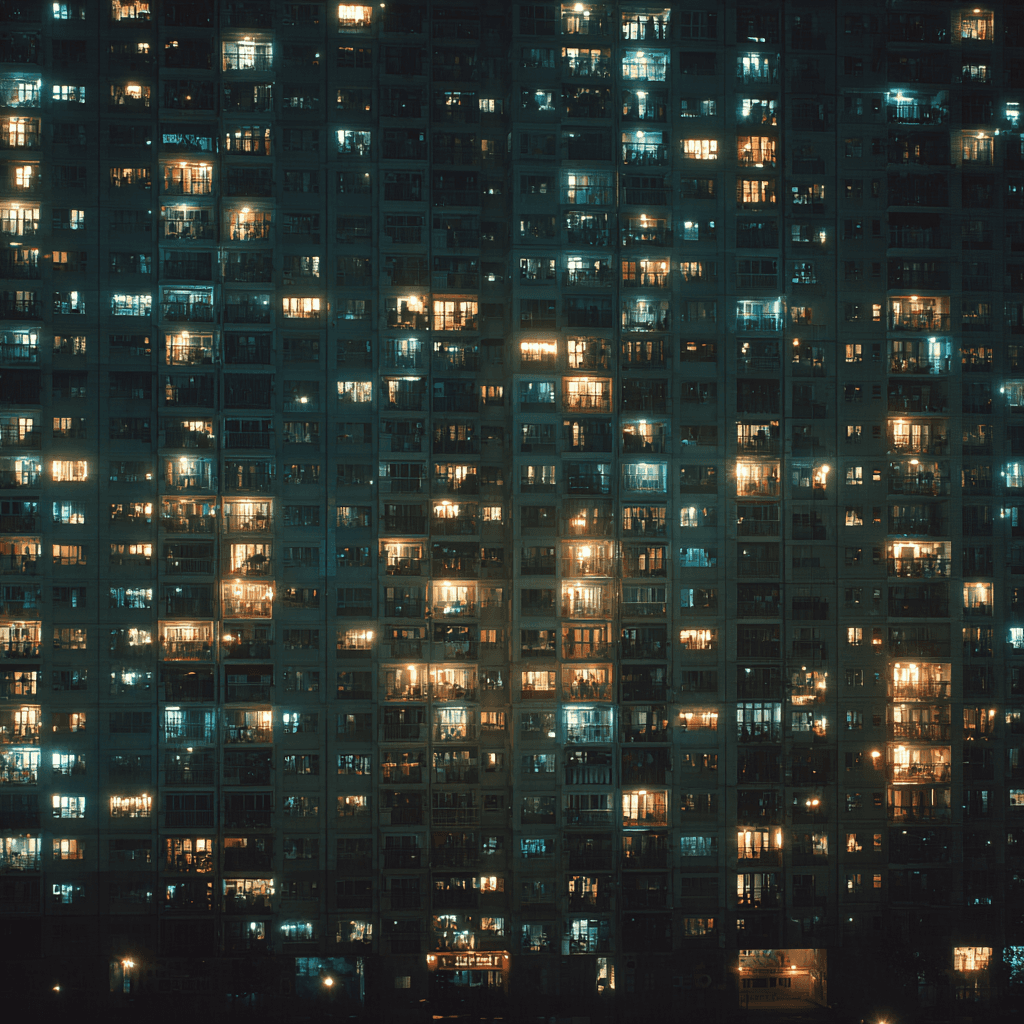
The back-end engineering team was resistant to front-end work. This was because of fears around work-debt. The features were developed reactively and there were many UI kits in use at once. This made the UX/UI fragmented.
Users ranged from seasoned pros to novices but, there wasn't a unified way of speaking to all audiences. User-testing was rare due to tight release windows.
The brand identity and UI was muted in tone. It felt disconnected from their lively business culture. More product documentation work fell on client services.

insight
define
With all the research I conducted, I managed to uncover the patterns and sharpen my focus on solving for operational excellence, user delight and cohesive visual communication. I also noticed I was solving for multiple parties at once. I’ve mapped out the basics of the user and stakeholder personas.
ethos

demographic
nlogic Software Engineers wanted something easy to implement and maintain over time. They also wanted something with as little front-end work as possible, at least until they hired a front-end developer to help.
These nlogic professionals work closely with clients to troubleshoot and instruct how to use nlogic products. Client Services needed an app that is easy to understand and use so, they might articulate how best to use the software, if any instruction would be needed afterwards.
The nlogic Product Managers wanted to create a product suite that was cohesive and adhere to product design best practices. They also wanted to create products that harmonized the different departments and ultimately pleased our end-users.
nlogic Marketers needed guidance on how to align their material to the products.
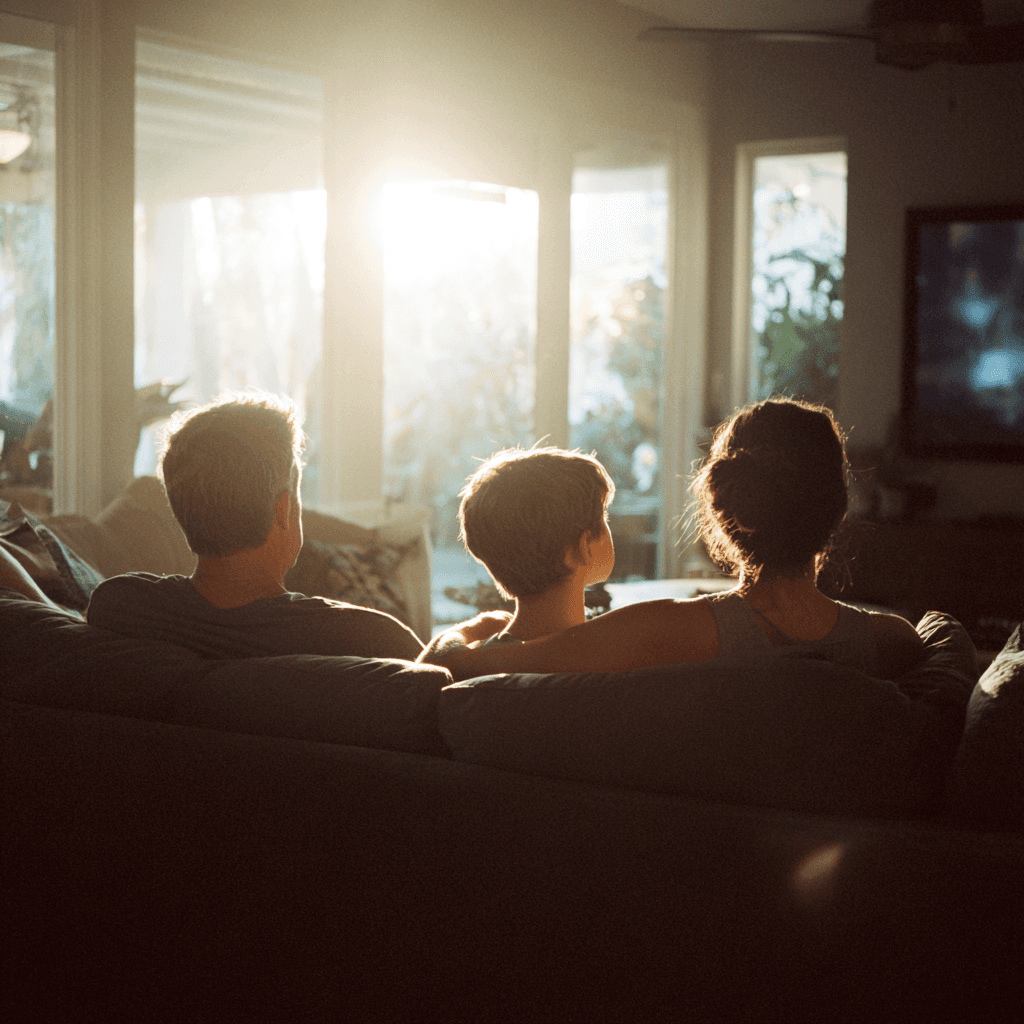
There are a series of broadcast professionals spanning TV, Radio, Streaming and Cross-Platform experiences who want software that is intuitive to their understanding of the industry. This includes complex acronyms, jargon and other conventions unique to broadcasters. We also needed make apps that are self-explanatory and instructionally obvious—some users are elder and we found out while user-testing that some users that they did not do well with complex steps or heavy text layouts.
On the other end, there are fresh grads and industry newcomers who prefer software that reflect their muscle memory and conventions used with other software they use daily (ex. Gmail). It would be important to create an experience that ignites a desire to create as much as they are expected to produce reports for this demographic.
objectives

design
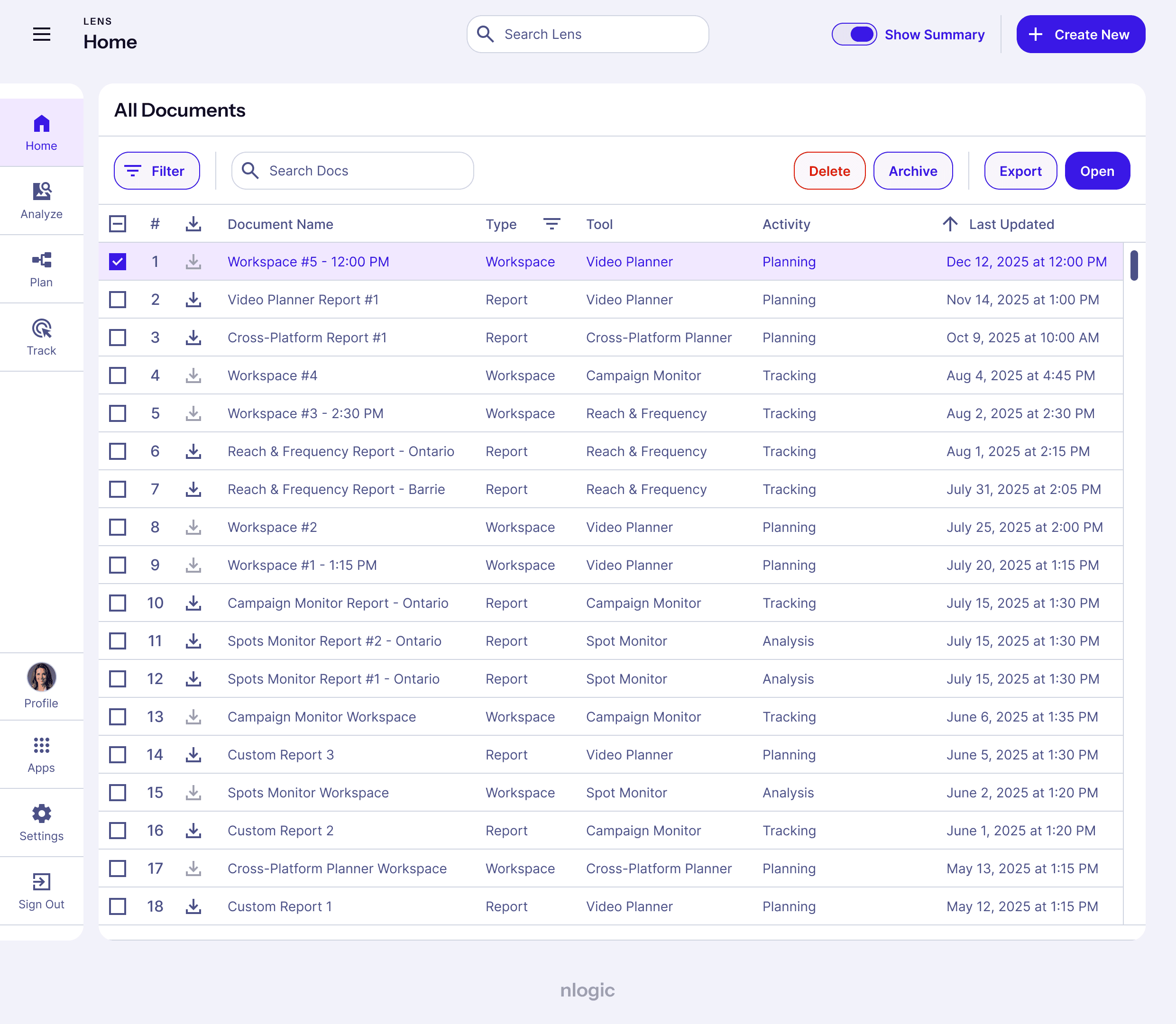
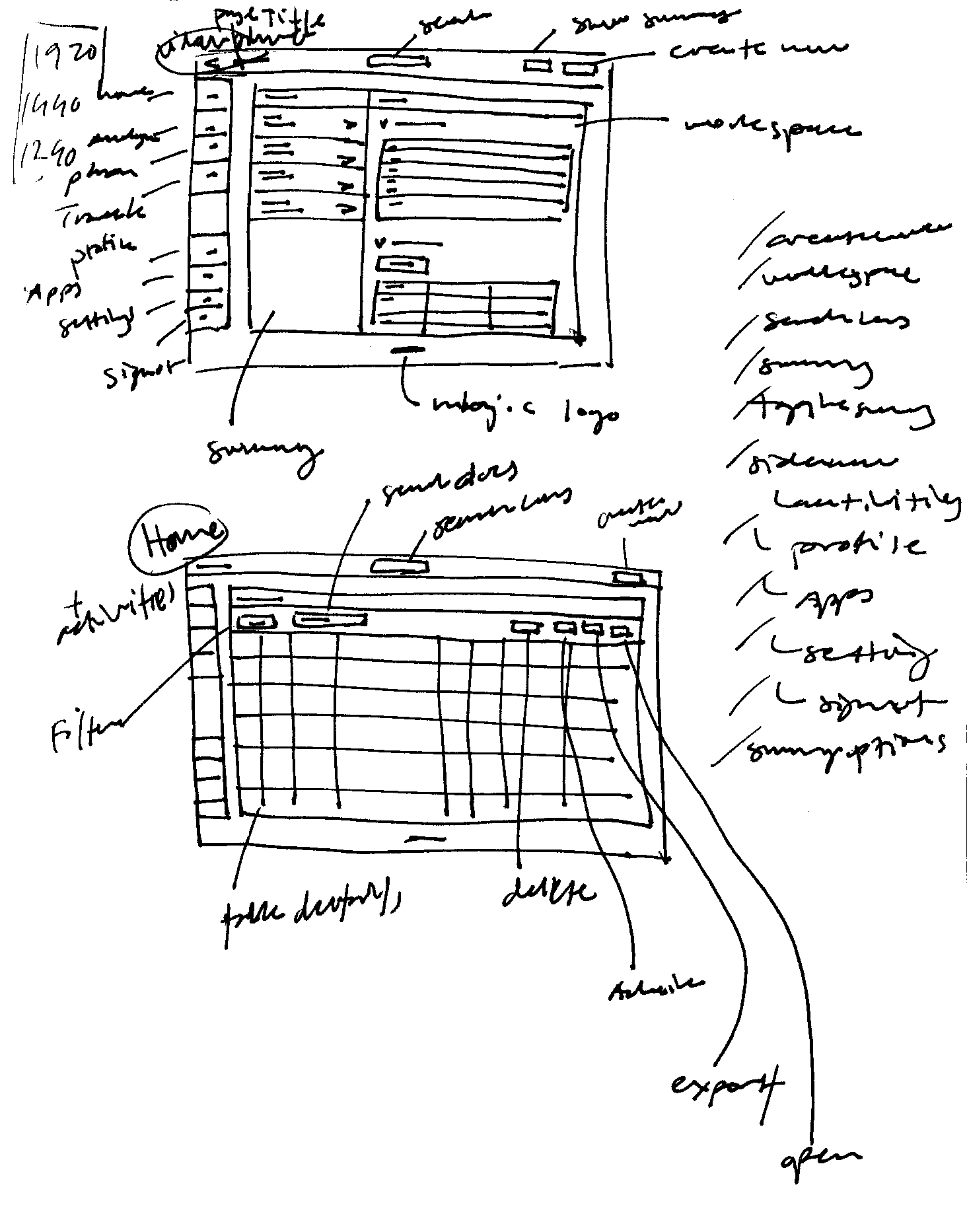
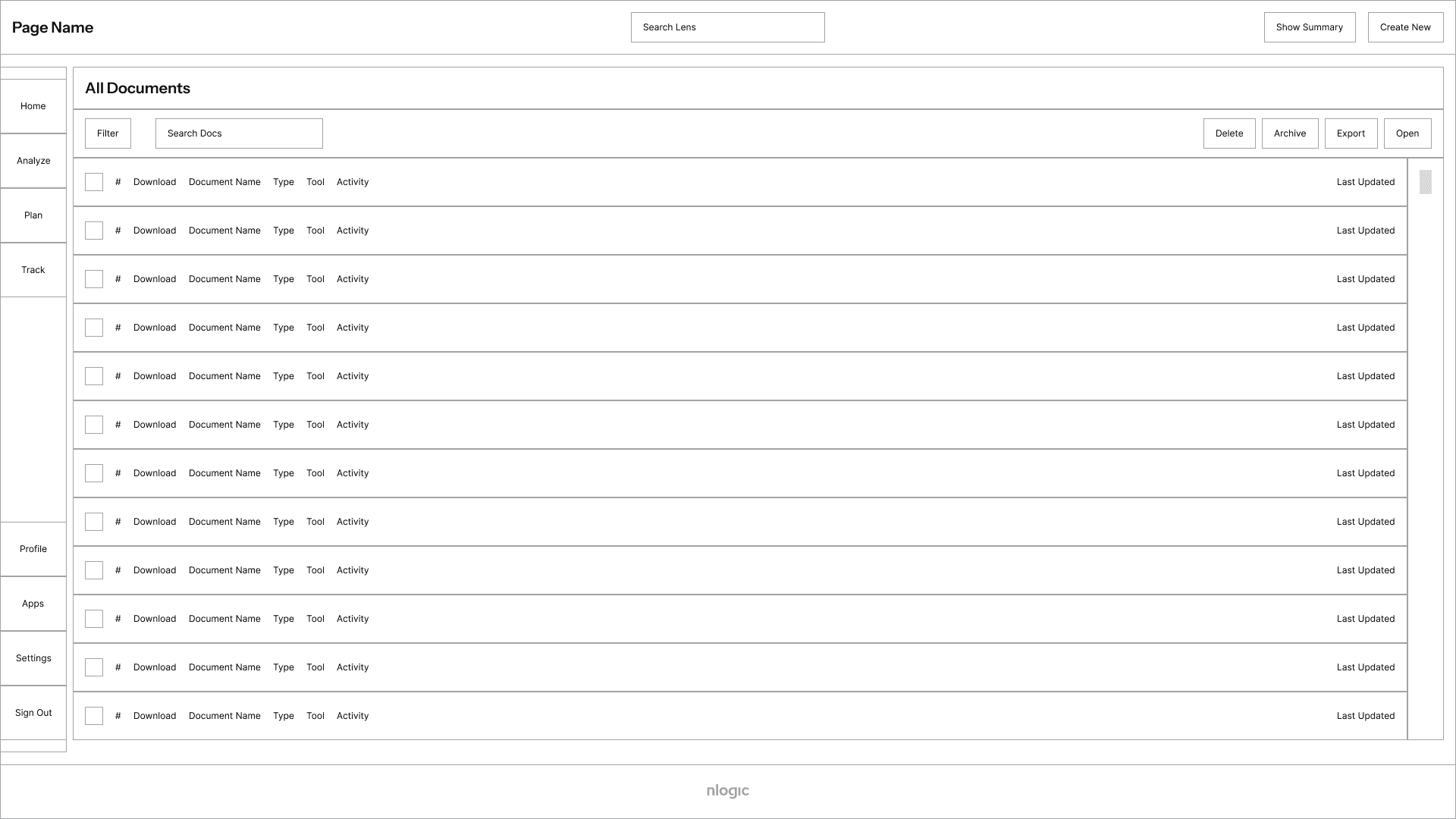
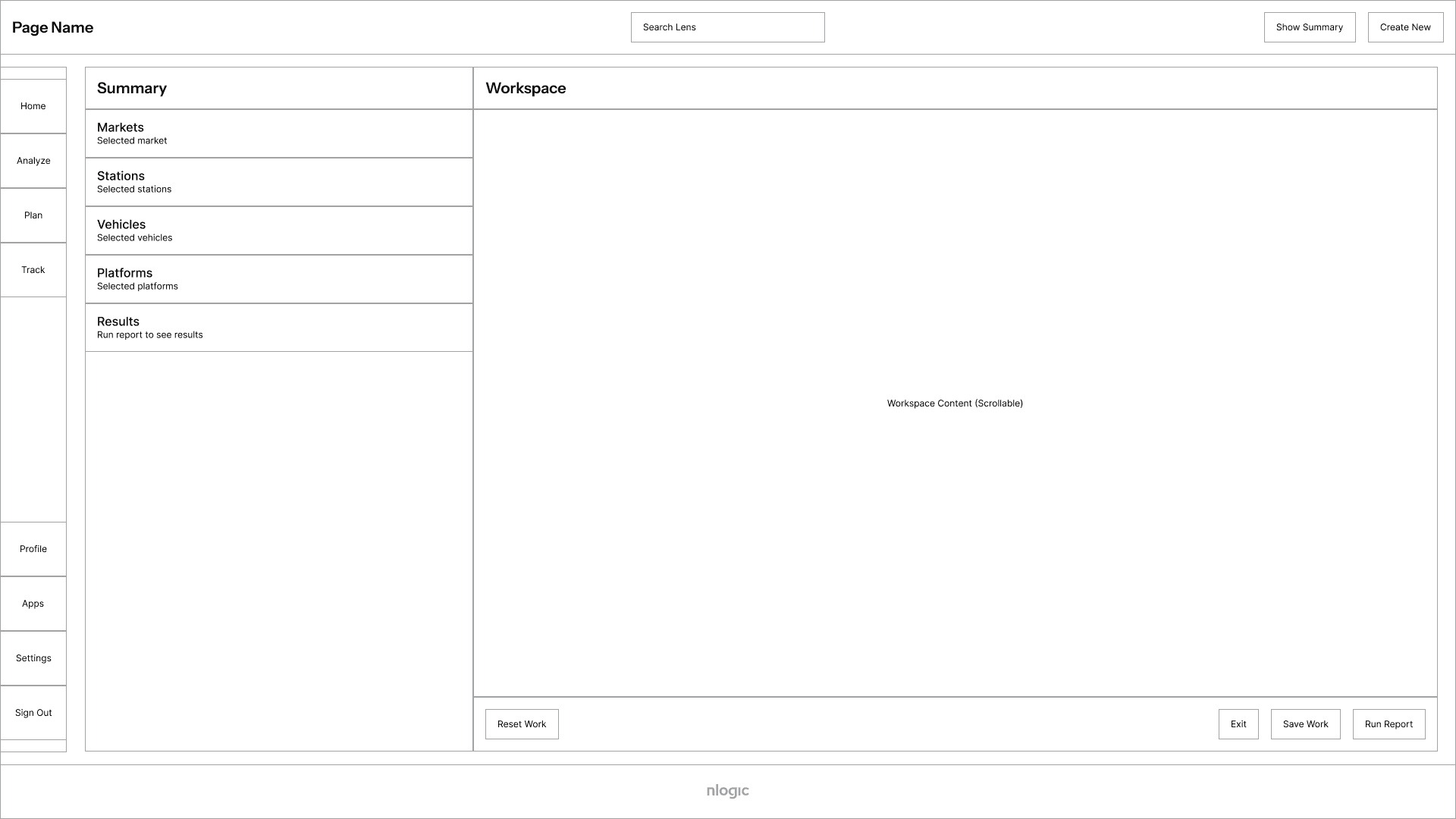
I revamped the product suite by firstly redesigning Lens, nlogic's flagship product, and solving it's most complex product issues. The legacy version of Lens was full of complexity—there were hidden menus, poor hierarchy and numerous workarounds that added to the user's workflow. I took my time to analyze each page, understand the core functionality and desired user goals and distilled the aim of the product into a new approach. Through various meetings with the stakeholders and users, I was able to distill the essential layouts to the following two layouts.
wireframes
all-products
Product Colours
lens (flagship-product)
colour / main / light-mode /
/ focus
/ emphasis-high
/ emphasis-mid
/ emphasis-low
/ border
/ surface
/ surface-button
/ background (bg)
/ bg-modal
/ state-hover
/ state-pressed
/ state-selected
…/ dark-mode /
/ focus
/ emphasis-high
/ emphasis-mid
/ emphasis-low
/ border
/ surface
/ surface-button
/ background (bg)
/ bg-modal
/ state-hover
/ state-pressed
/ state-selected
colour / alert / light-mode /
/ focus
/ emphasis-high
/ emphasis-mid
/ emphasis-low
/ border
/ surface
/ surface-button
/ background (bg)
/ bg-modal
/ state-hover
/ state-pressed
/ state-selected
…/ dark-mode /
/ focus
/ emphasis-high
/ emphasis-mid
/ emphasis-low
/ border
/ surface
/ surface-button
/ background (bg)
/ bg-modal
/ state-hover
/ state-pressed
/ state-selected
typescale
all-products
Instrument Sans
Semi-bold
64 px
Used as a page or section indicator; also for promotions
Head 2
52 px
Head 3
48 px
Head 4
32 px
Head 5
24 px
Head 6
20 px
Subtitle 1
Medium
16 px
Used as a label or precursor to body-1, in-line text interactions or for promotional purposes
Subtitle 2
14 px
Used as a label or precursor to body-2 or in-line text interactions
Body 1
Regular
16 px
Used for promotional large bodies of text
Body 2
14 px
Used for general large bodies of text
OVERLINE
Medium
12 px
0.25 em kerning
Used for subtext before large bodies of text
Button
Semi-bold
14 px
Used for interactive text within components or independently
Caption
Regular
12 px
Used for subtext after large bodies of text
colour samples
dark-mode & all-products
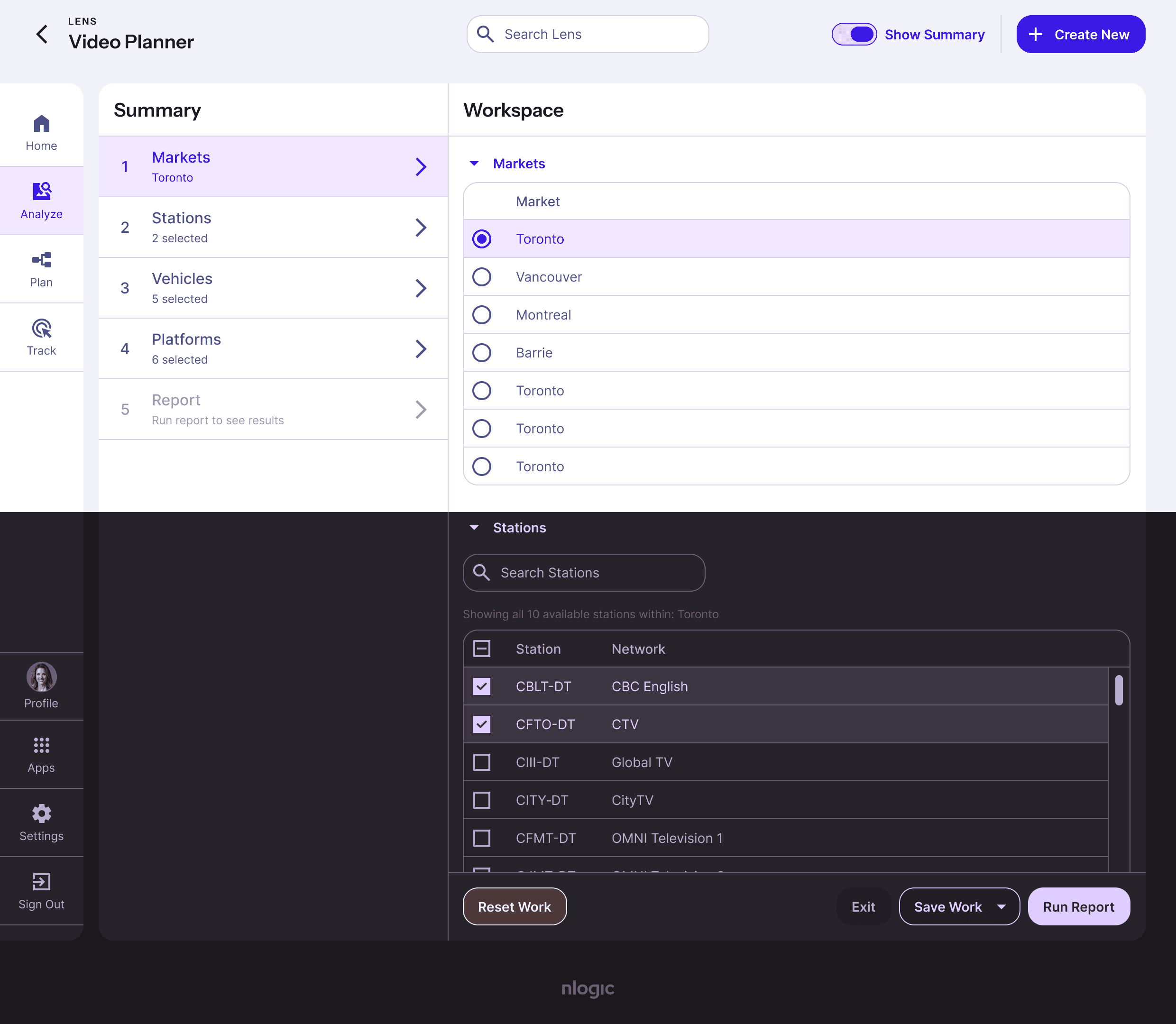
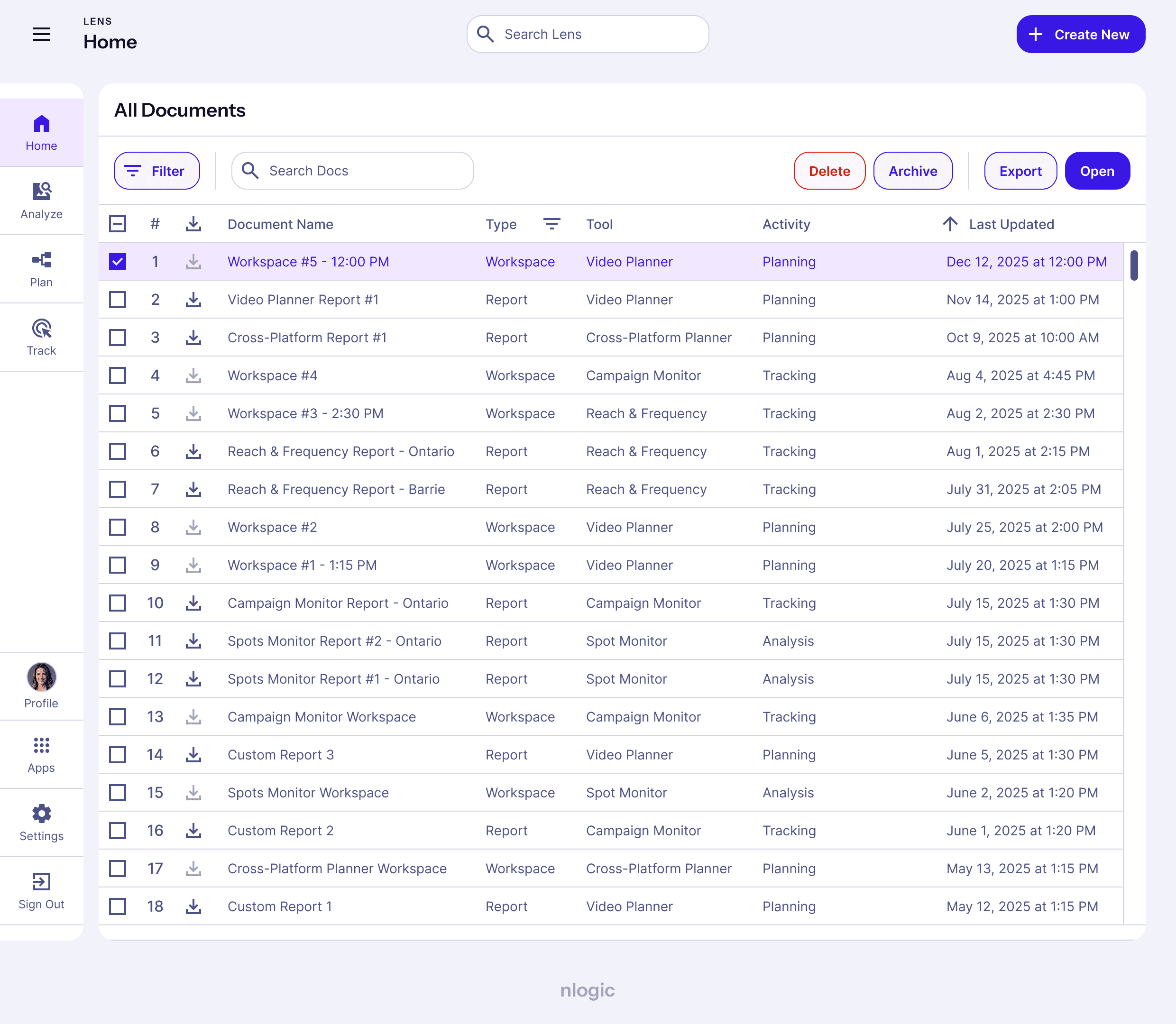
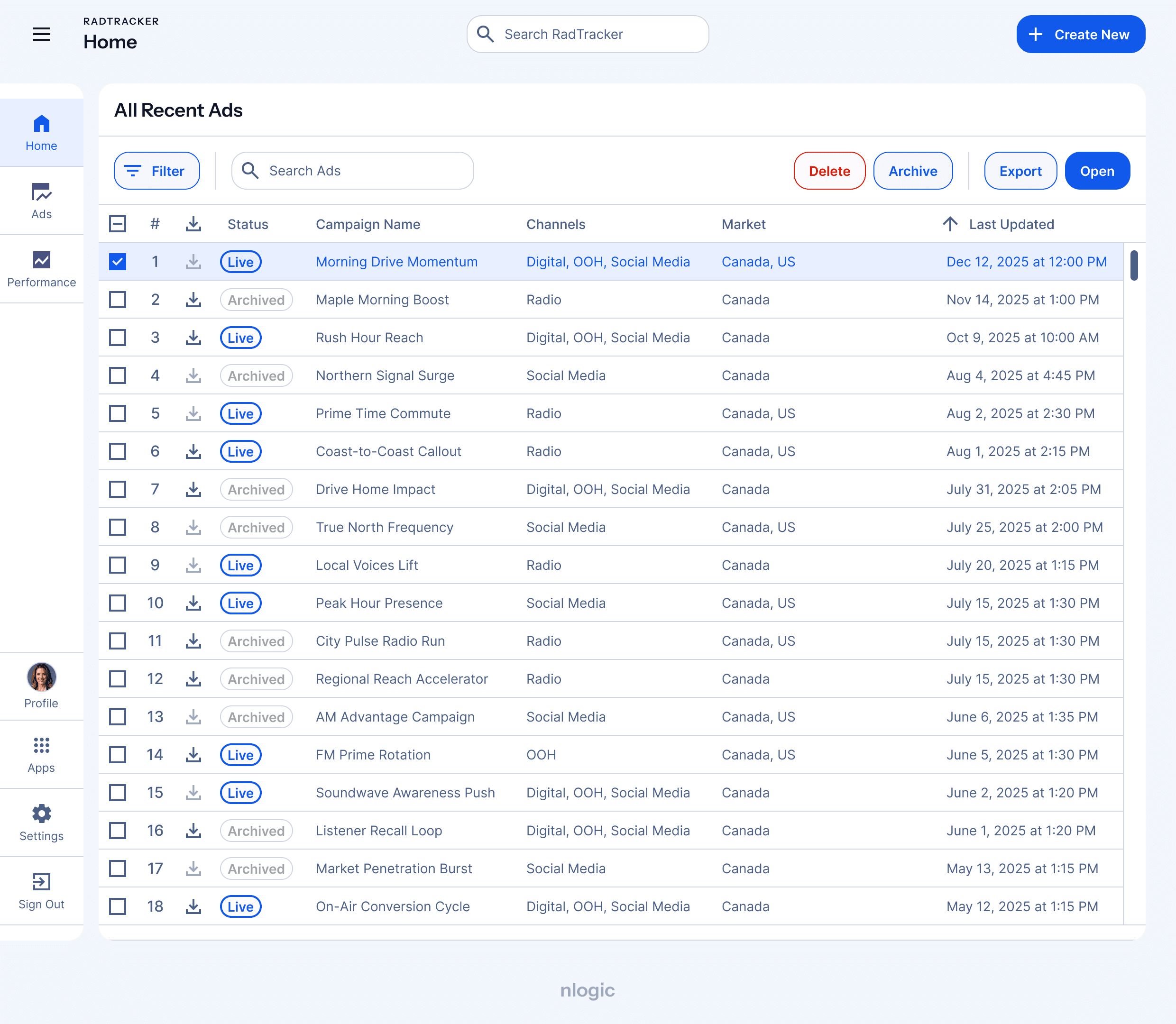
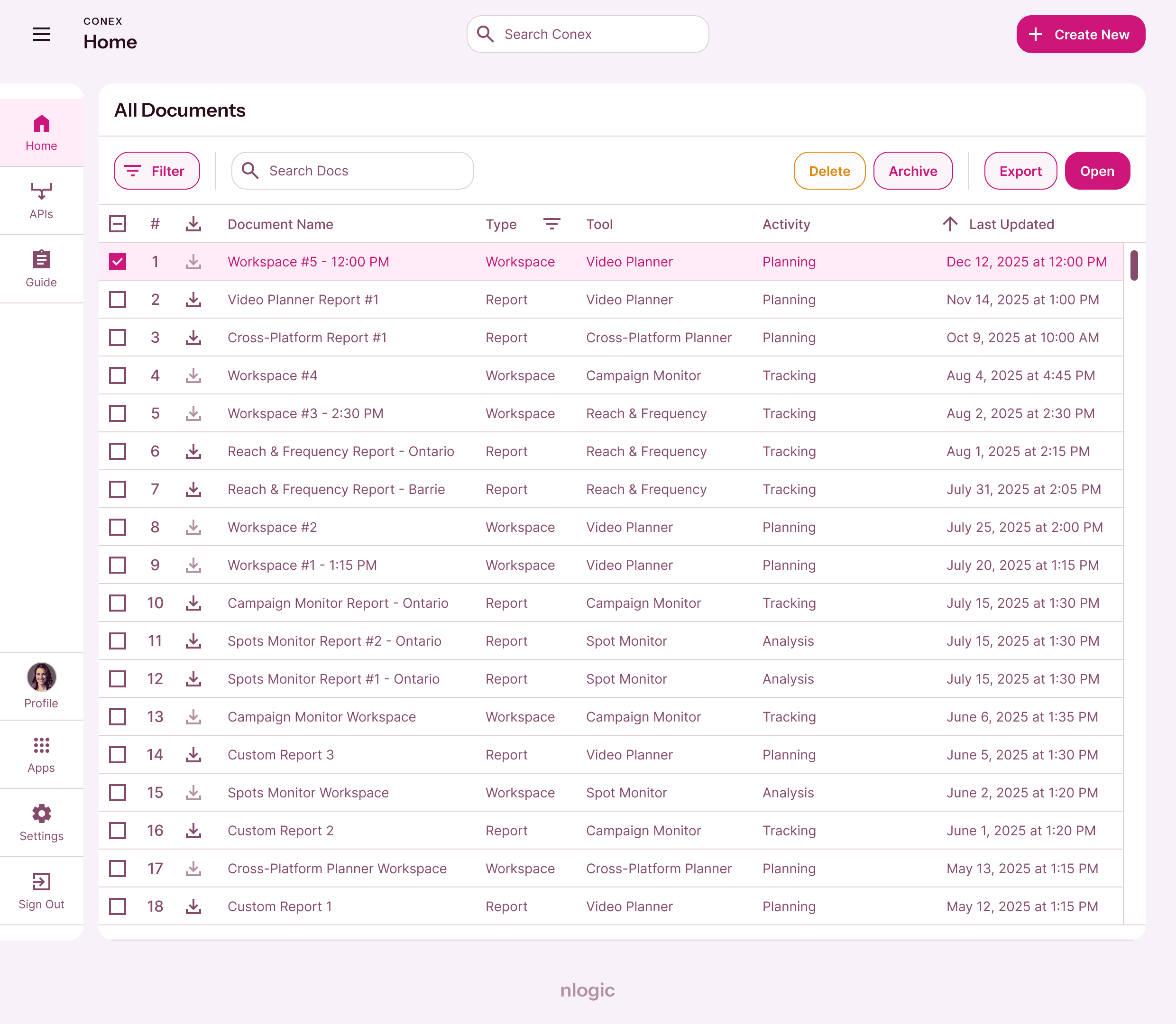
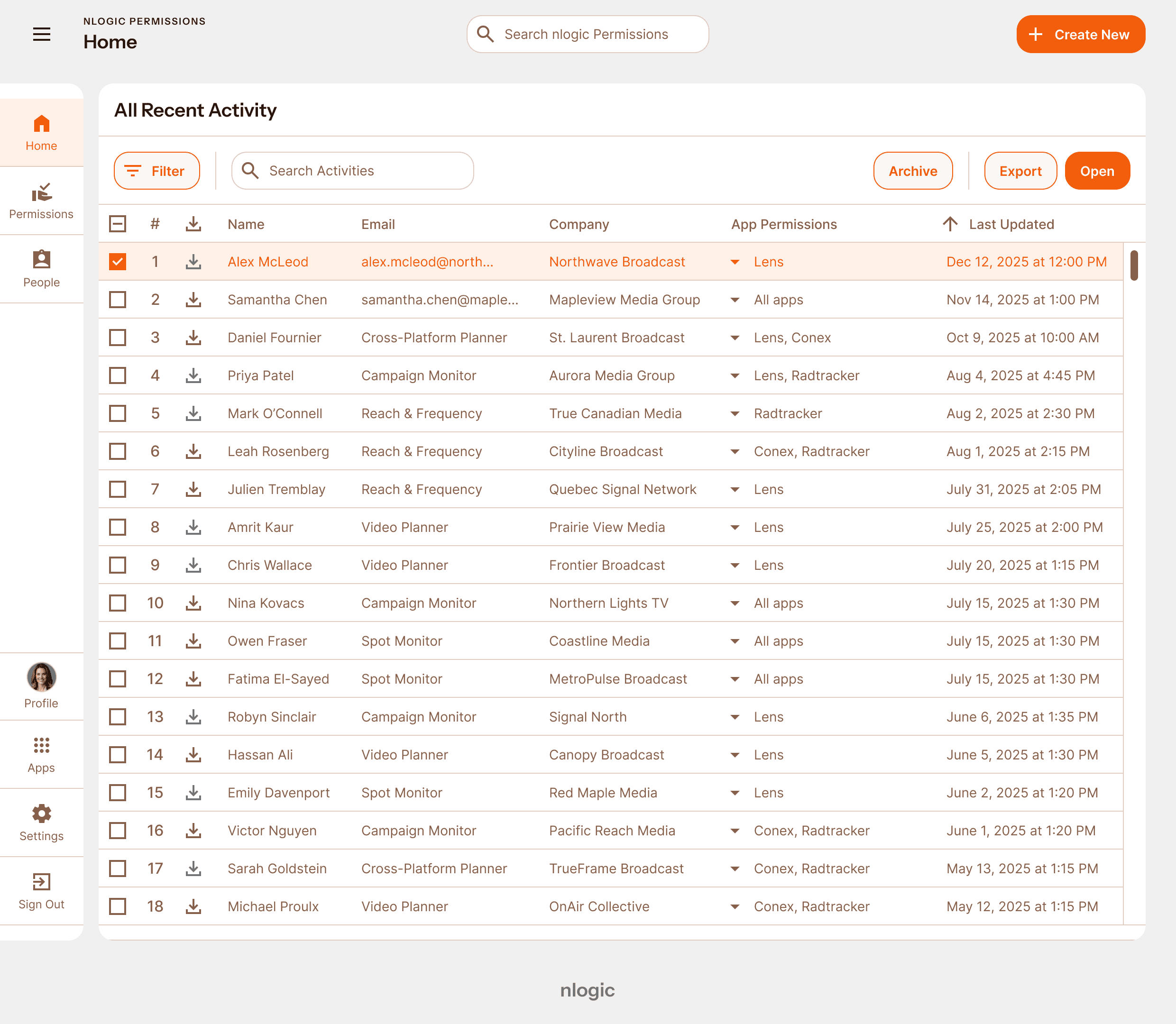
Component samples
all-products (lens-colours, not-true-size)
buttons-main
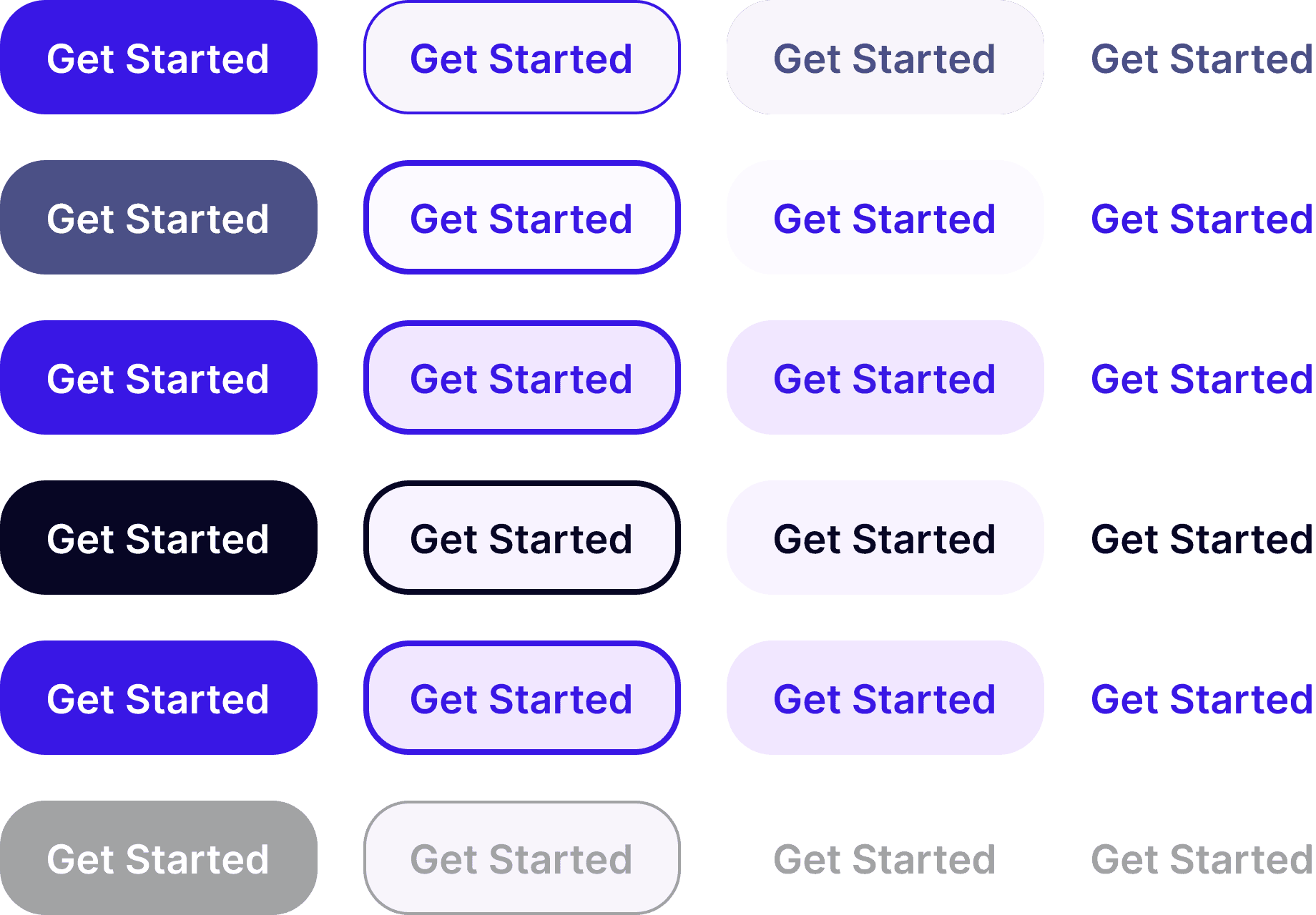
buttons-alert
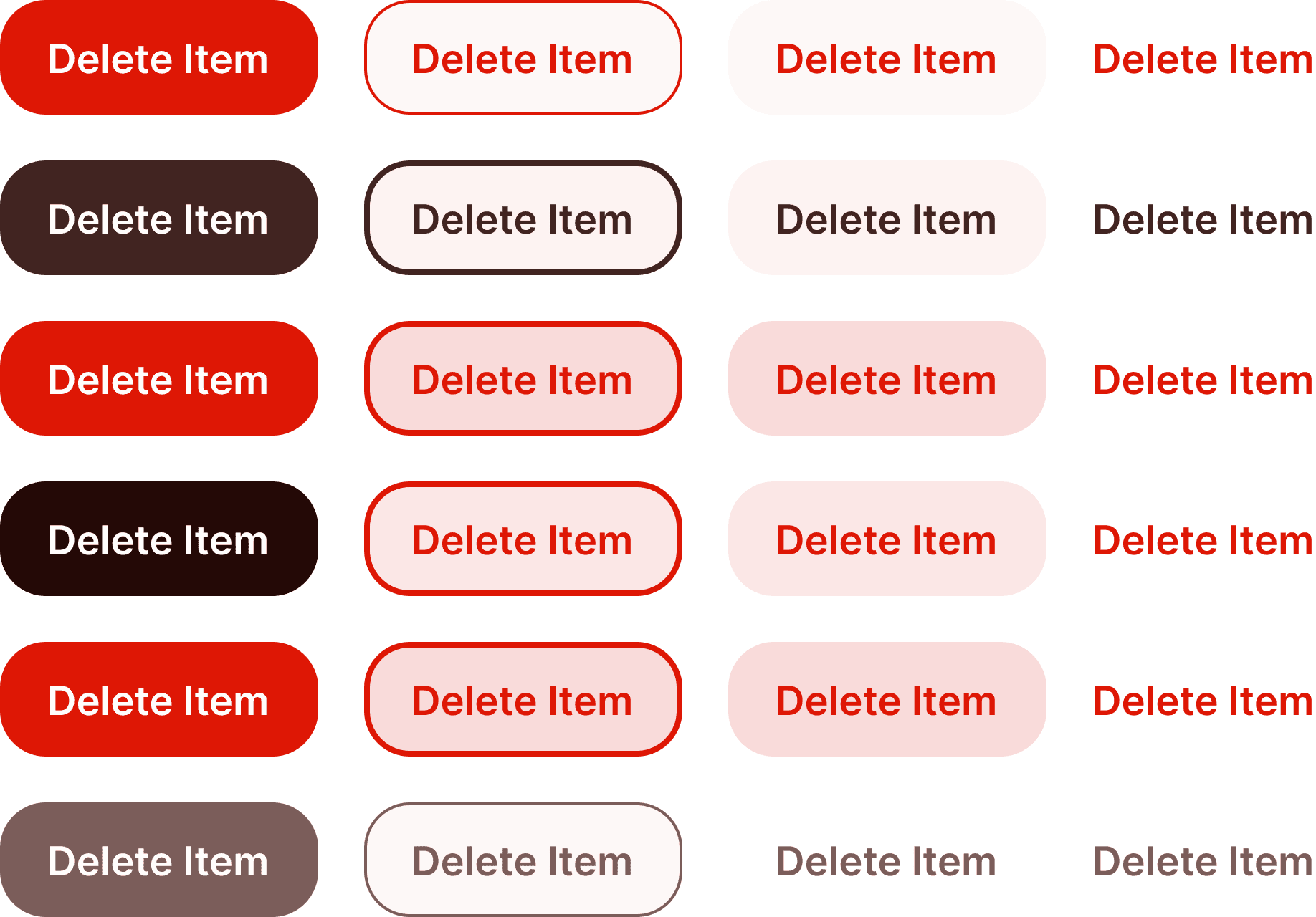
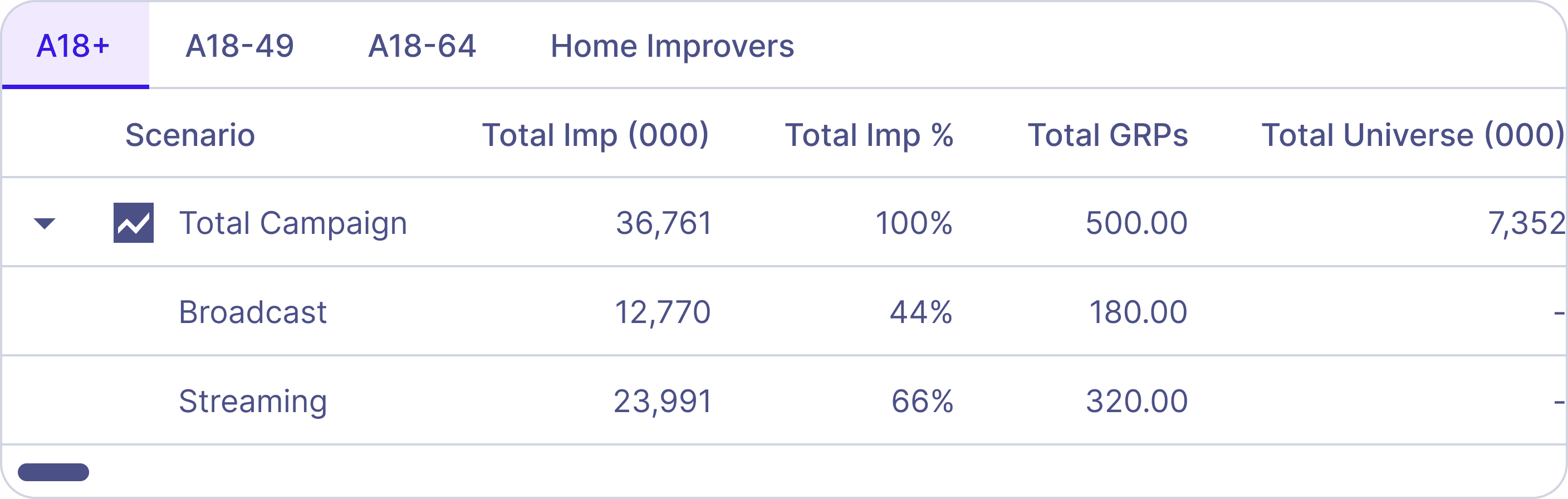
table-tabbed
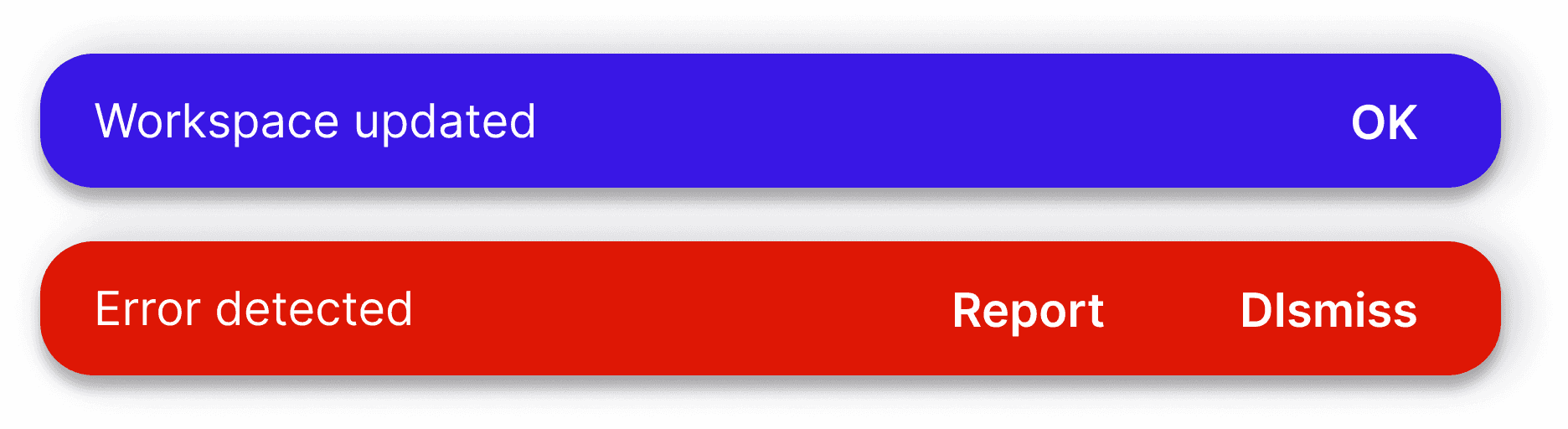
snackbars
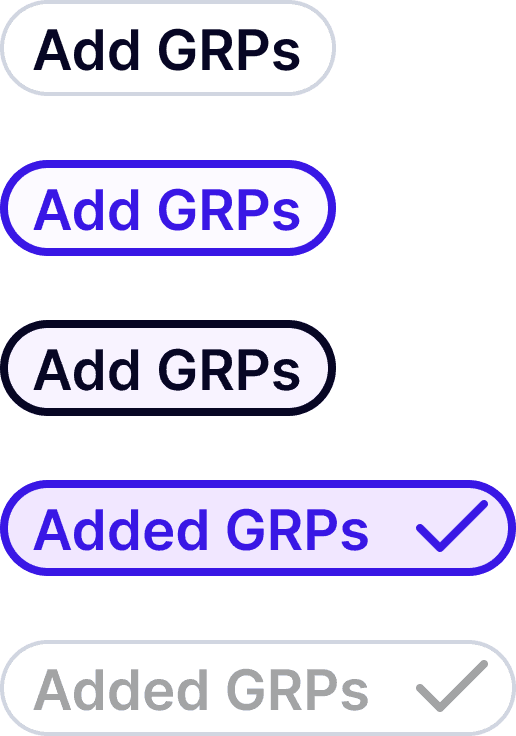
chips
card
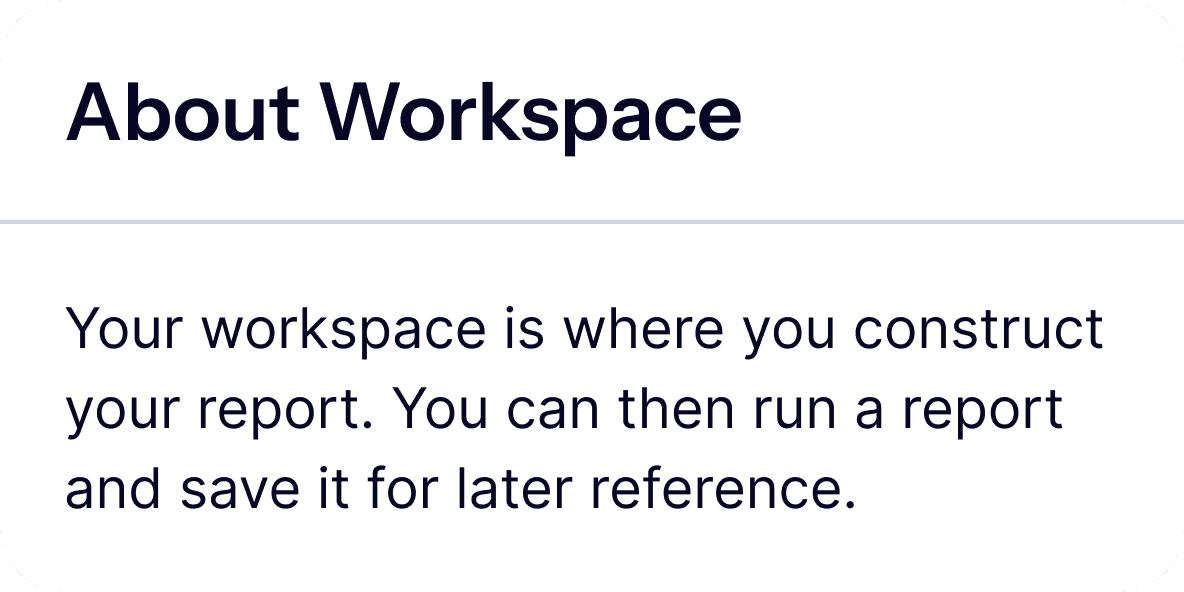
tooltip

field

load-indicator

toggle

User flow
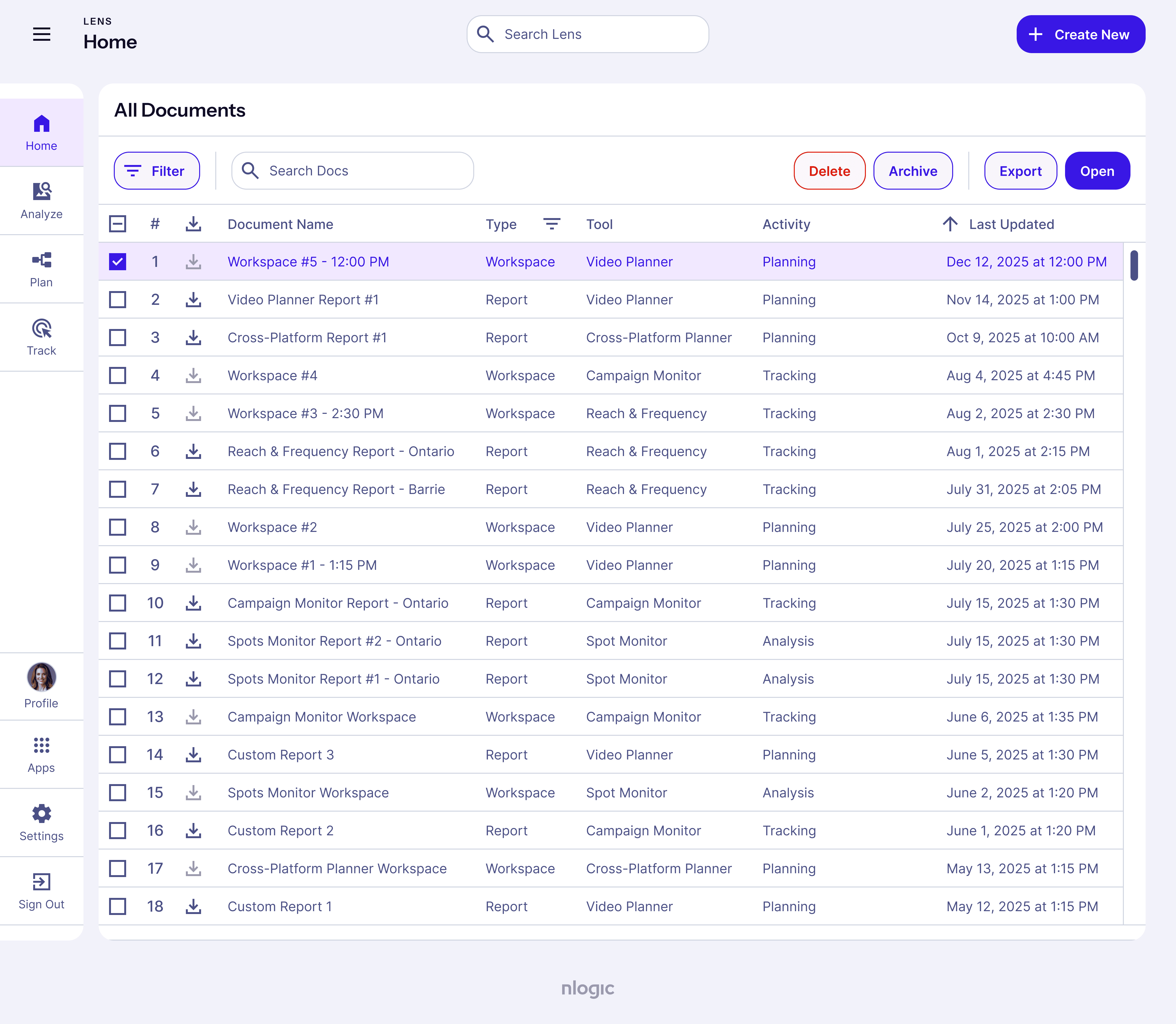
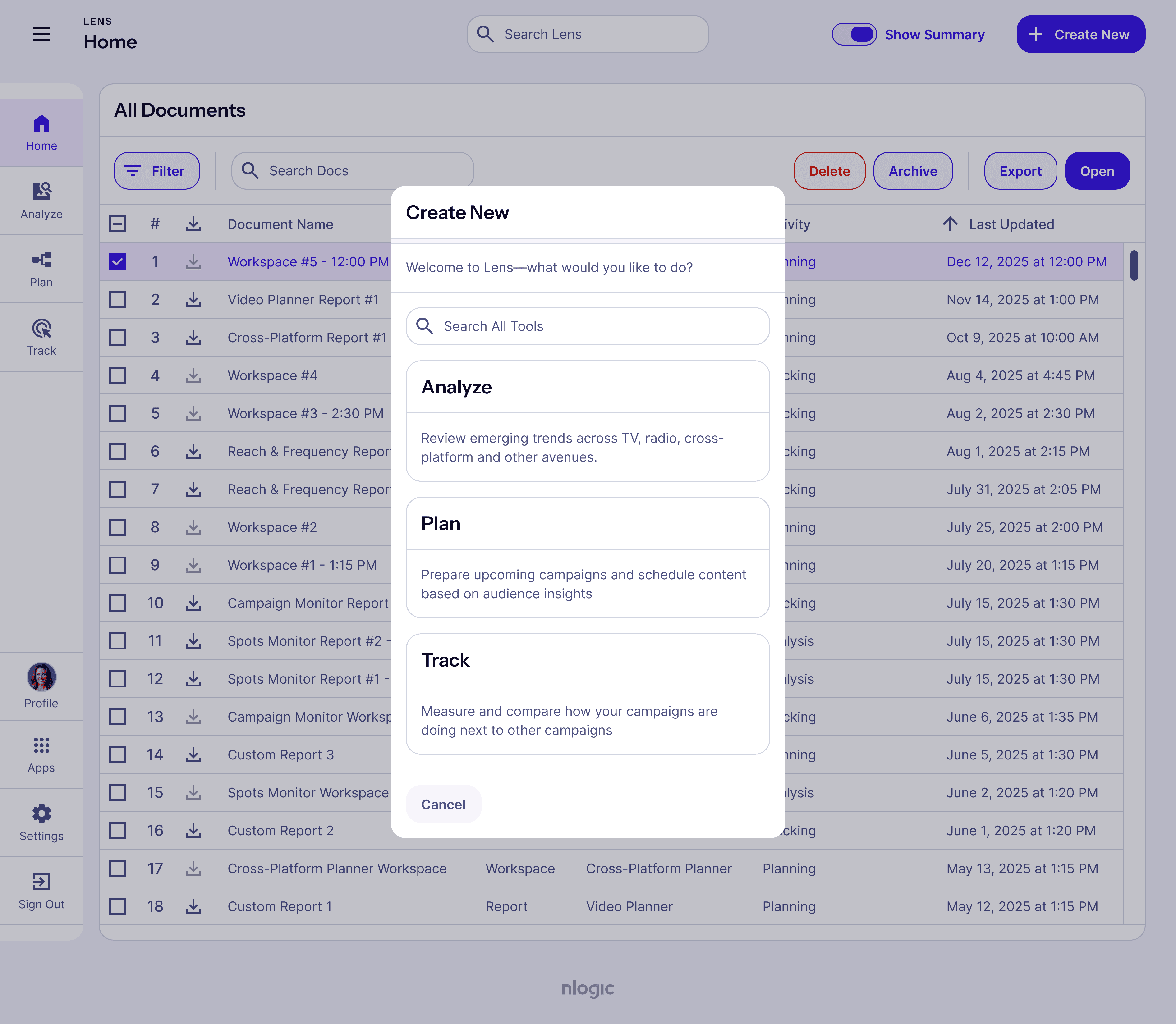
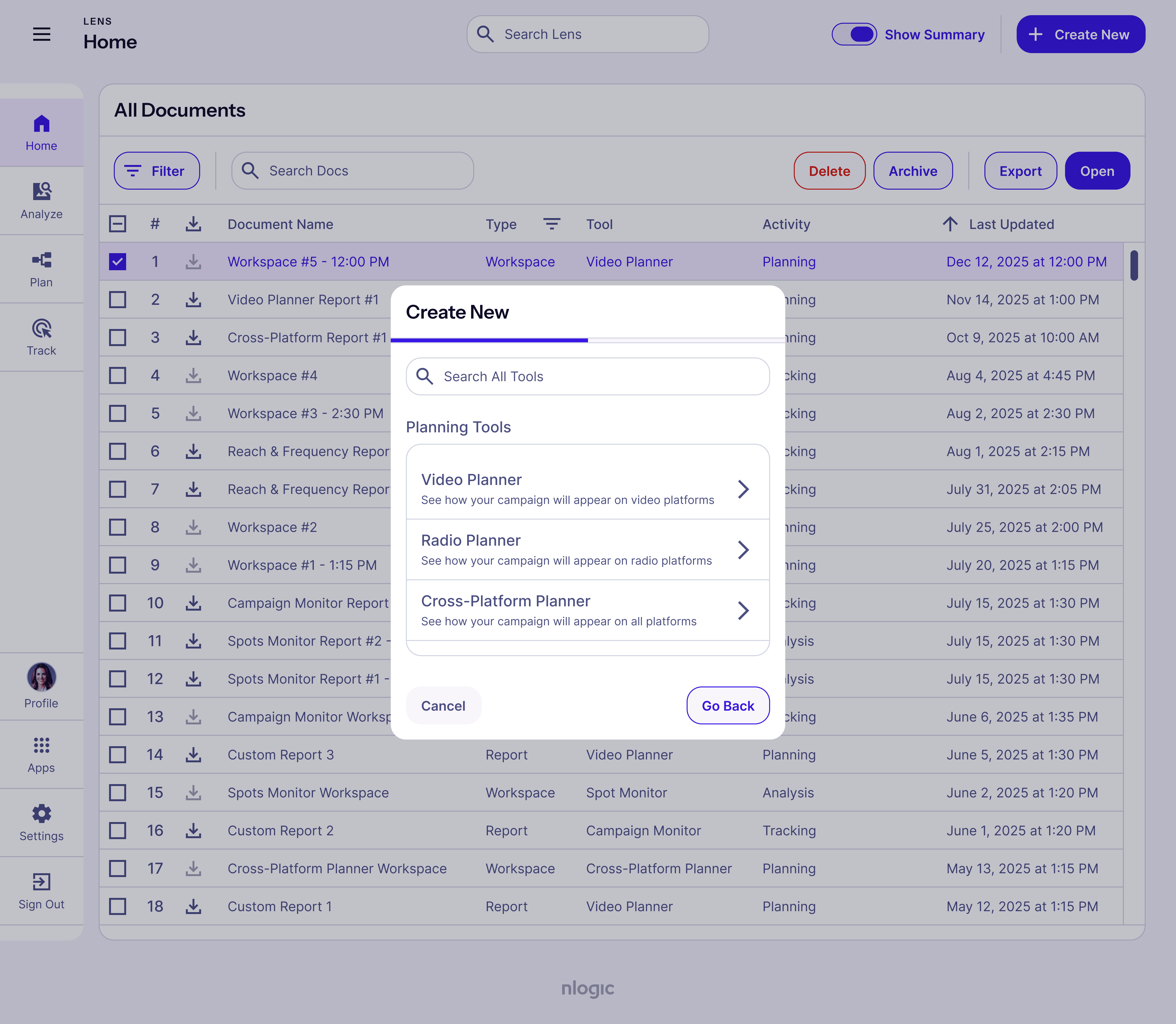
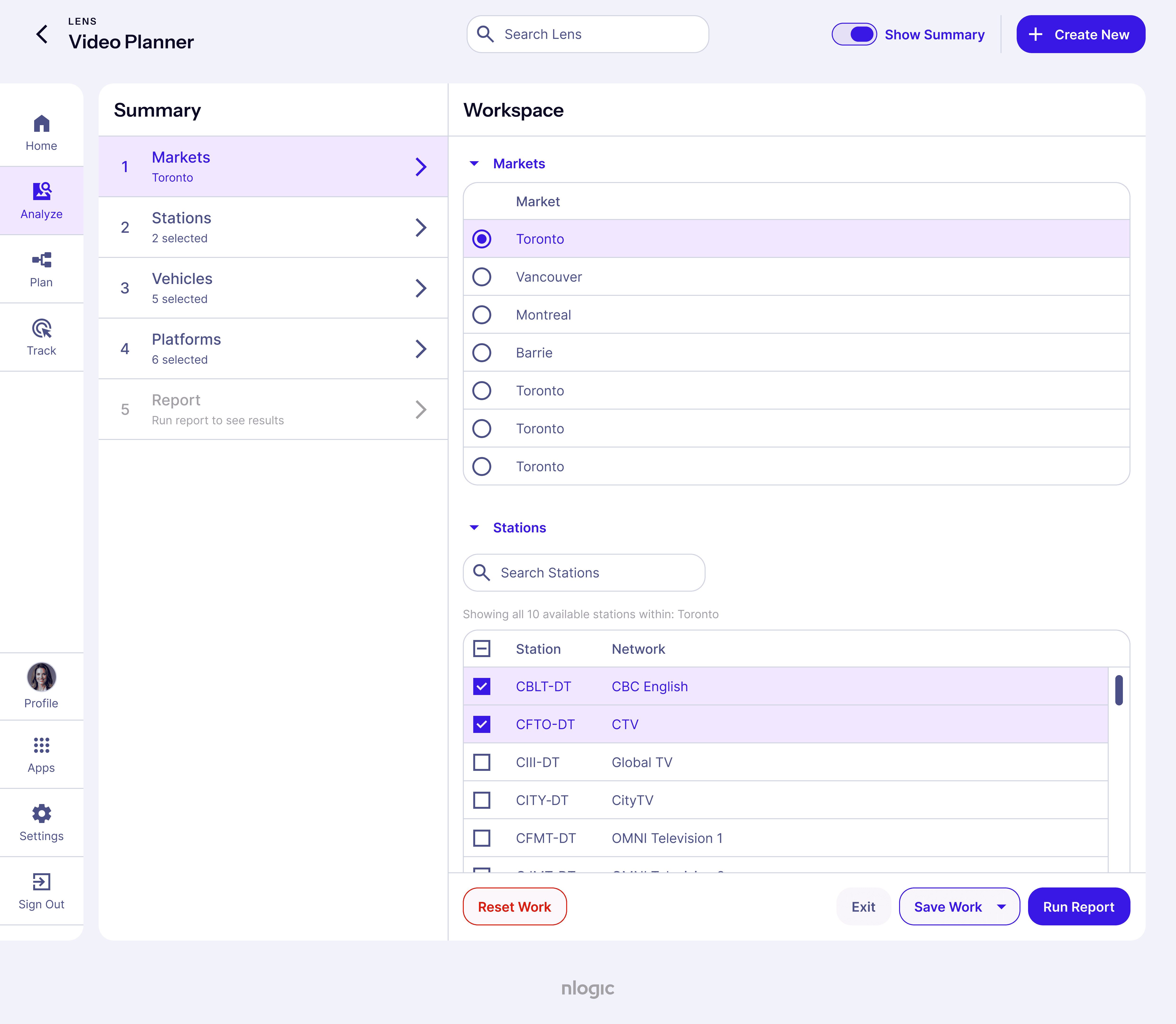
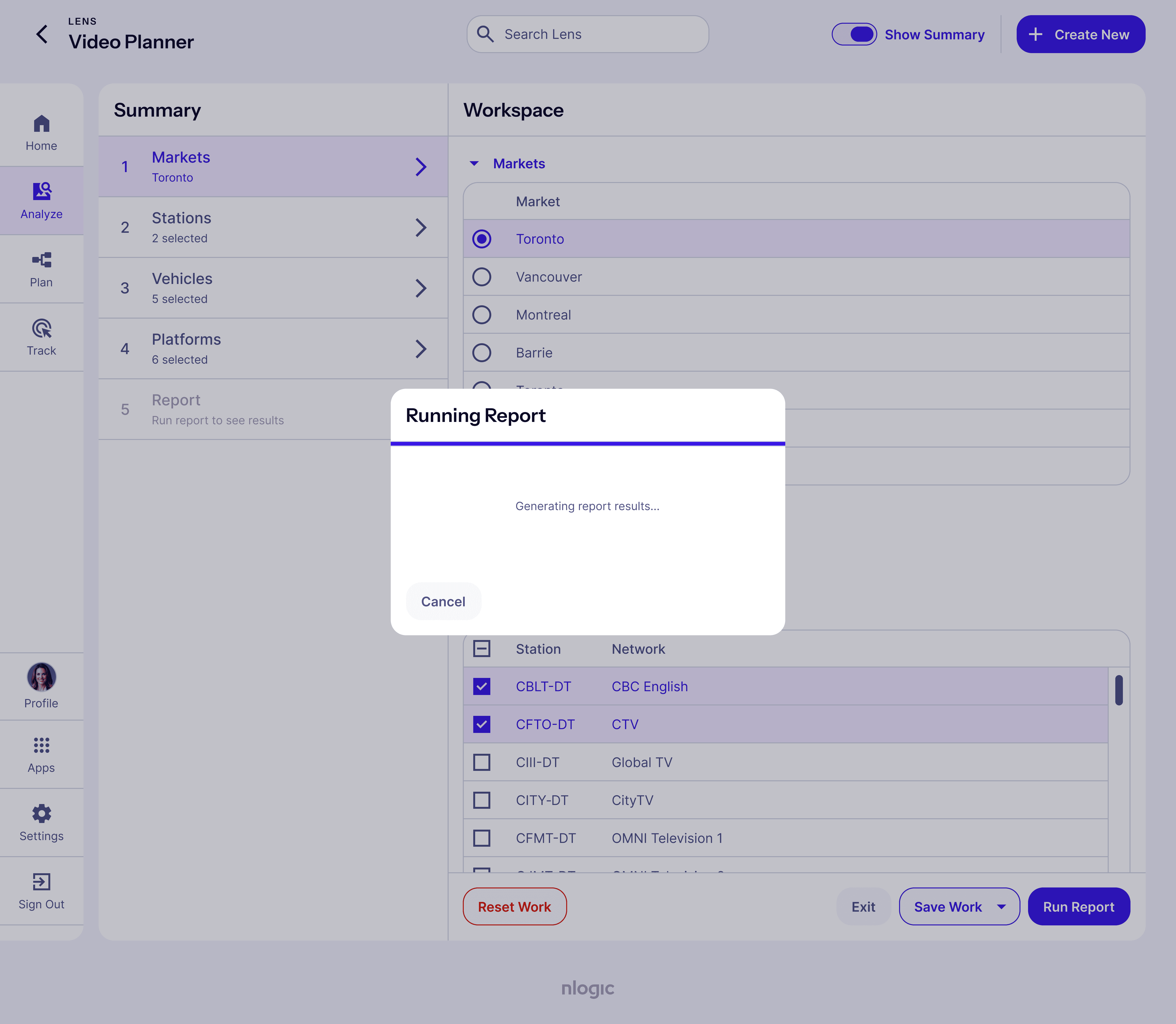
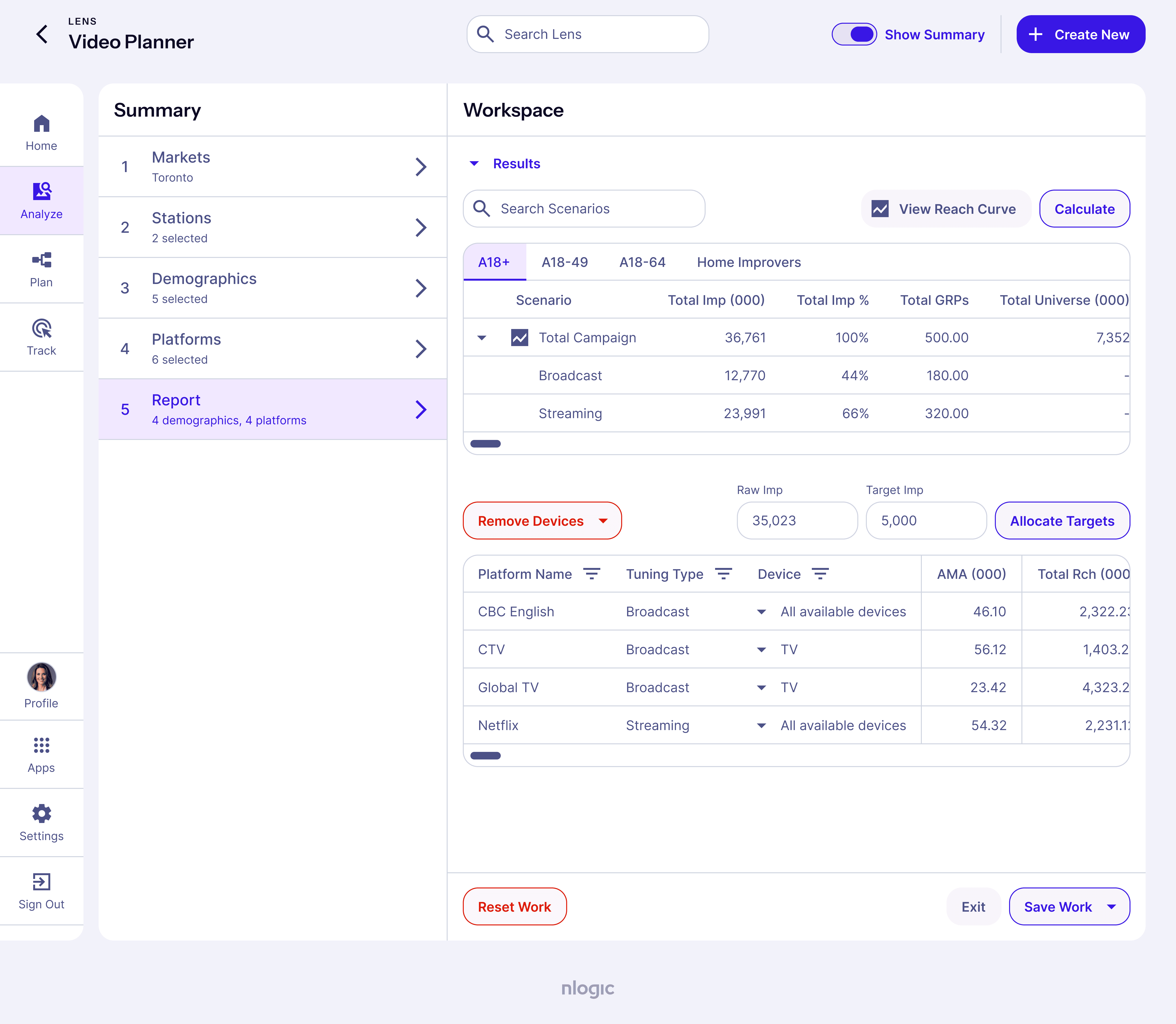
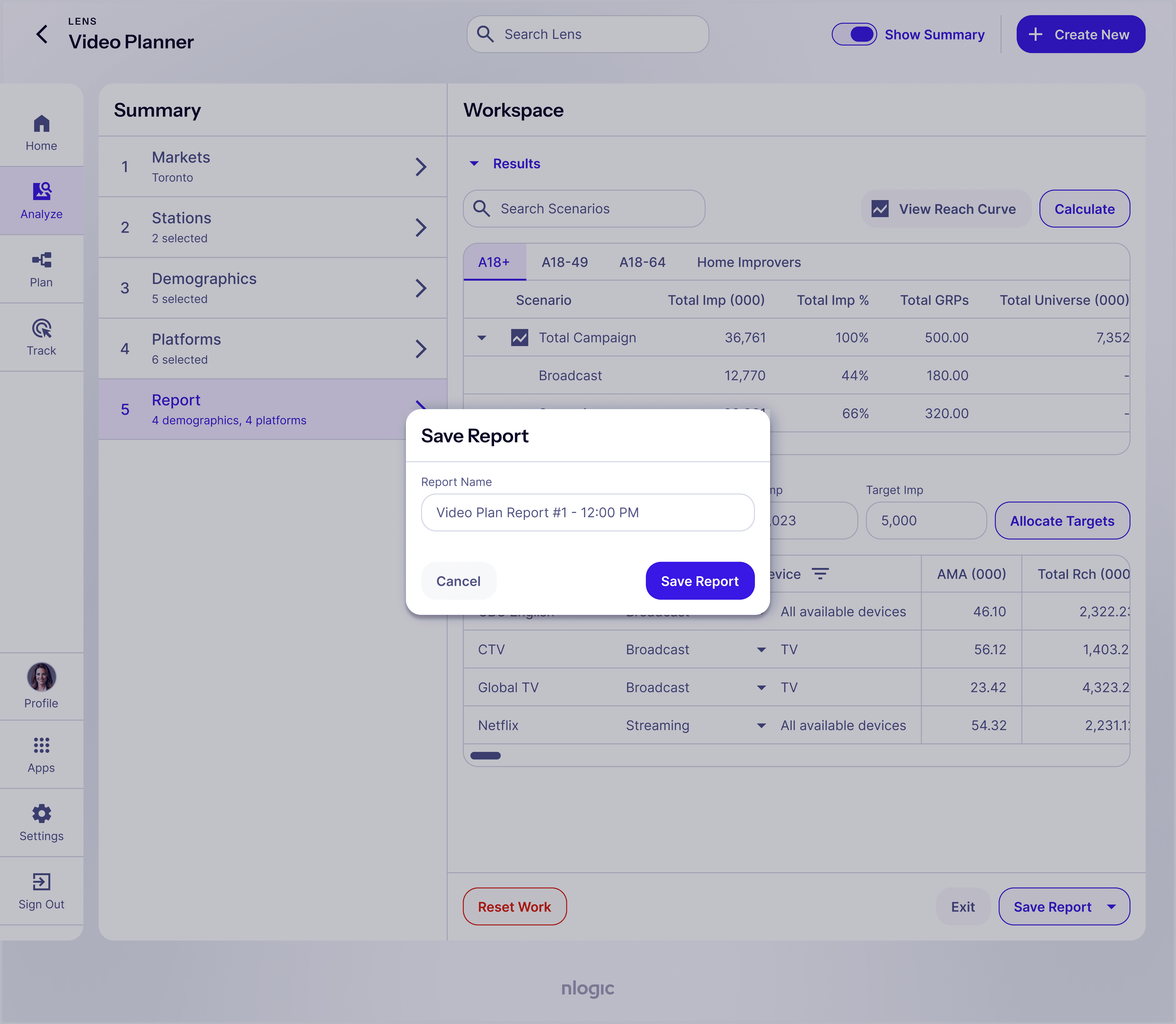
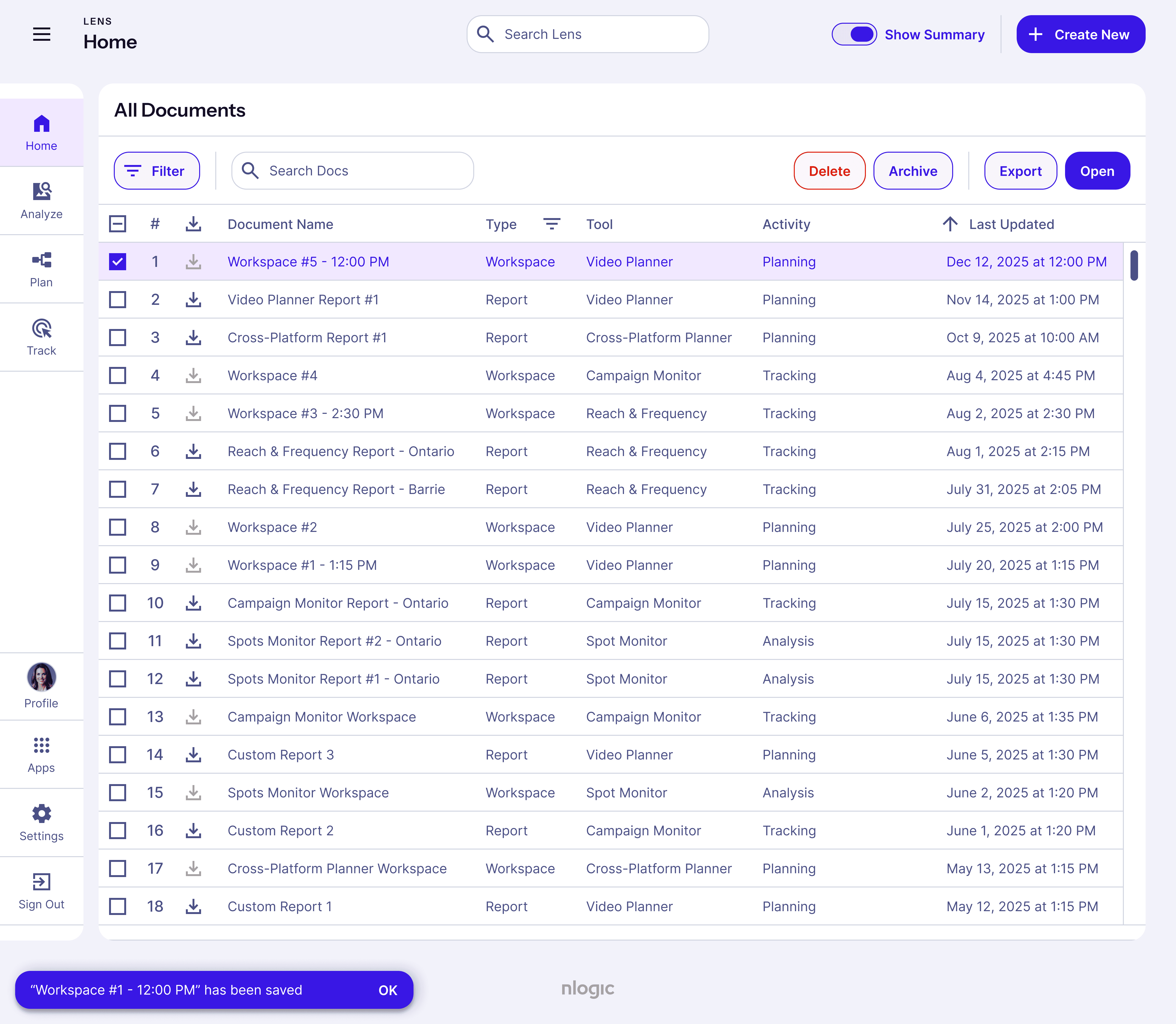
log-in → video-planner → report-results
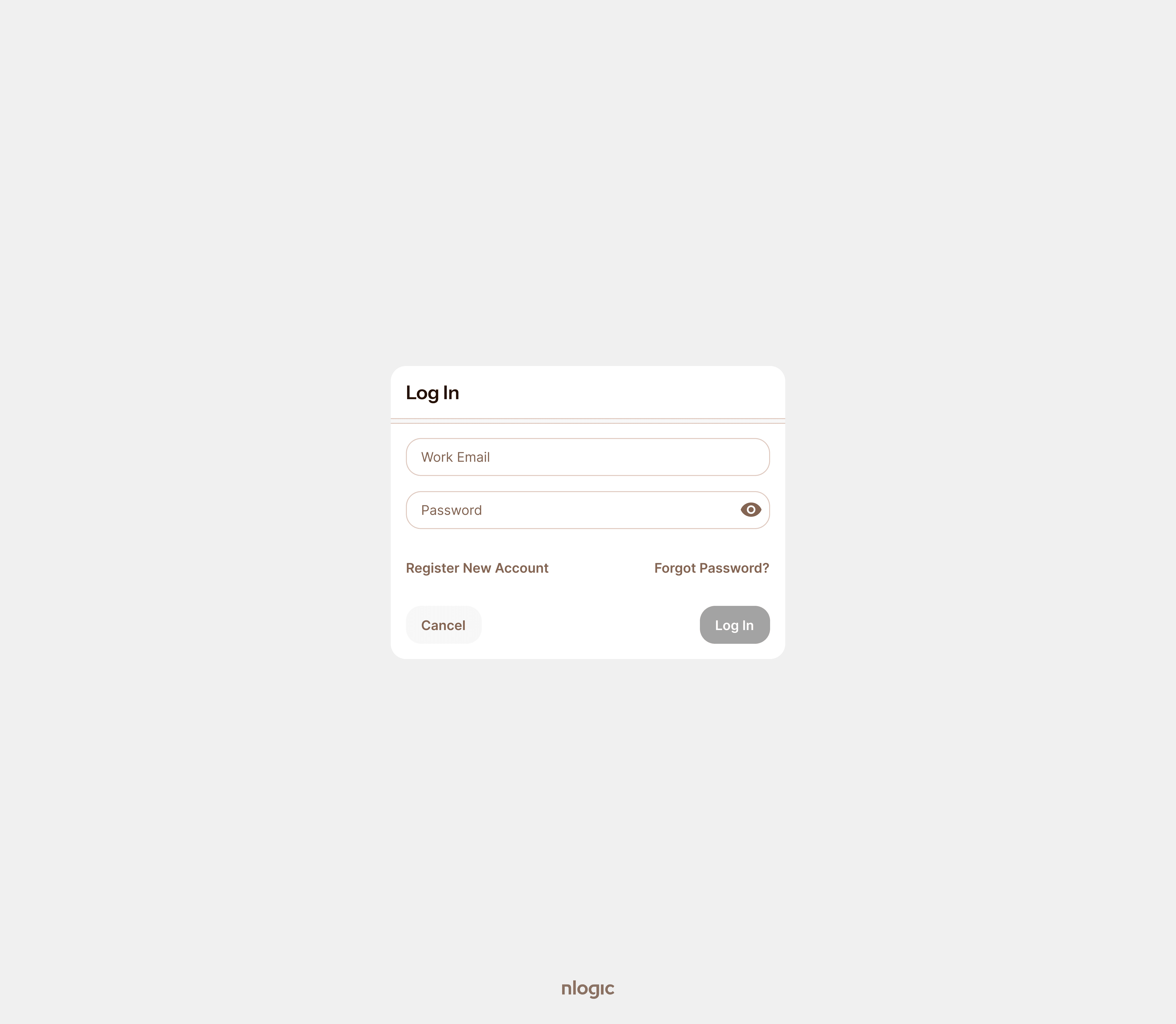
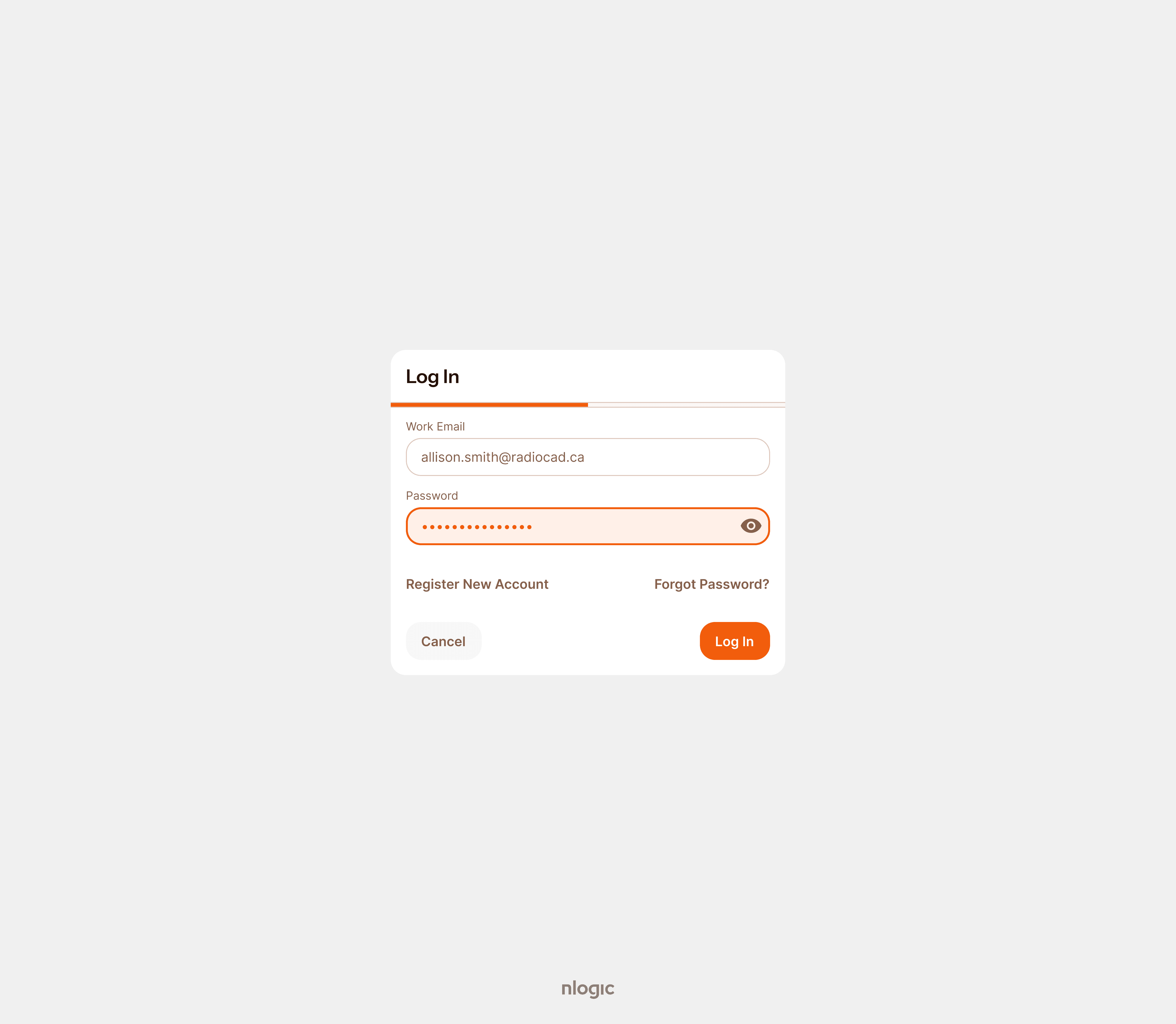
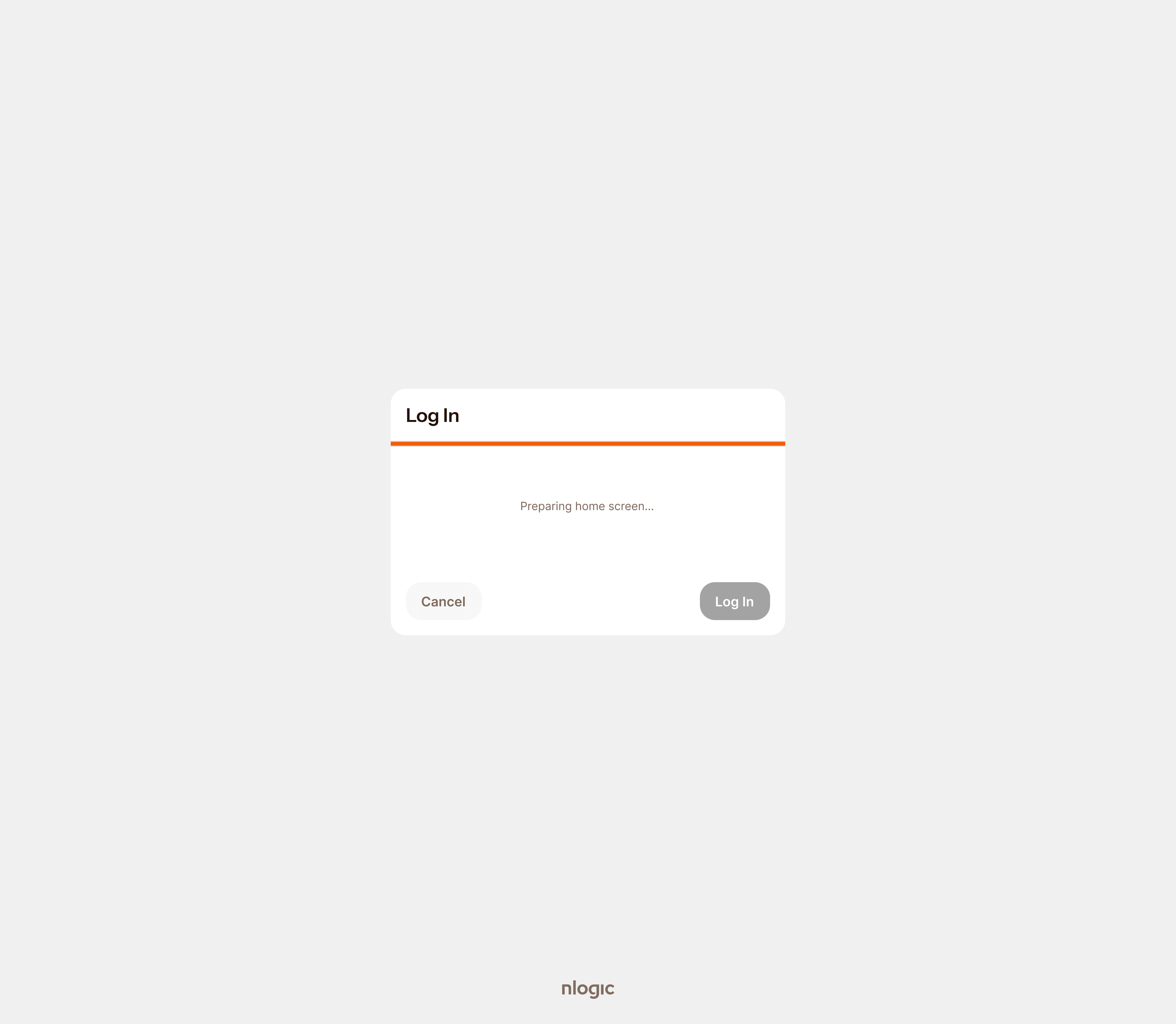
deliver
Through ongoing user testing, stakeholder feedback and close collaboration with engineering, I iteratively refined the design system and its documentation. This resulted in a robust foundation that made building new solutions faster, easier and more cost-effective.
Results
Outcomes
Assets